1
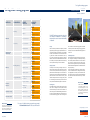
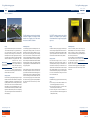
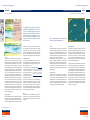
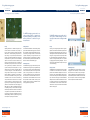
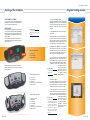
Training at the computer Training at the computer A typical training session User-friendly software The response panels can also be used as input devices for the Vienna Test System. On the “Client data” index card you can enter the client’s details. The “Training” index card lists all the available training programs. You can select the desired program and specify its duration. A session can consist of several training programs presented one after the other, in the order specified by you in the training sequence list. Basic response panel: NE W 2 colour keys 10 number keys USB connection The Standard and Universal Vienna Test System response panels can also be used with the CogniPlus training programs. Standard response panel: 7 colour keys 10 number keys 1 sensor key Connection for foot-operated keys USB connection Universal response panel: 2 analogue joysticks 2 twist knobs 7 colour keys 10 number keys 1 sensor key Connection for foot-operated keys USB connection The “Results” and “Logbook” index cards provide training results and session data. In the “Logbook” the system automatically records the details of each session. You can also add comments here. You thus have a compact but complete digital client file. If your client is able to work alone, after selecting the training programs you can specify whether he is to move on directly from one program to the next, thus working his way independently through the session, or whether you will start the next program for him. This means that your presence during the session is Worth knowing not essential, unless the Save even more time with the Direct client needs special care Training function! (e.g. children or severely ii page 29 disabled patients). Index card 'logbook' Worth knowing 2. Instruction phase Each training program starts with an instruction phase. Simply formulated instructions inform the client of what he has to do. He can spend as much time reading them as he wishes; this prevents stress. To make things easier for the client, all CogniPlus programs are designed along the same lines. In addition, they make use of everyday knowledge; for example, based on traffic-light usage the start button is always green. Guided by Worth knowing the careful use of size and Because they can be presented on color on the screen, the one side of the screen only, the Cogniclient absorbs information Plus training programs ALERT, VIG selectively in accordance and SELECT are also suitable for with the importance of the patients with hemineglect or hemivarious elements. Instruction phase Input devices The CogniPlus training programs can be worked with a normal computer keyboard or with SCHUHFRIED’s Basic response panel. The mouse is needed for some training programs, while VISMO requires the Universal response panel. The response panels are particularly suitable for individuals with restricted hand movement. We shall be happy to advise you! Starting CogniPlus takes you directly to the convenient and detailed menu. As soon as you have registered a client, CogniPlus opens a client file with the four index cards, “Client data”, “Training”, “Results” and “Logbook”. Index card 'training' 1. Set up the training program The CogniPlus menu is clear, user-friendly and simple and intuitive to use. You don't need to be Bill Gates to find your way around. That's a promise! anopsia. The text then appears on either the left or the right half of the screen, depending on the region of the neglect. 26 . COGNIPLUS COGNIPLUS . 27