1
Step 3 – Changing your DNS Records
To enable Spam Safe Mail to filter your incoming emails, you will need to point what is known
as your domain name’s MX (Mail eXchange) records at the IP addresses of the Spam Safe
Mail service. For this, you will need to log on to your domain name control panel. Should you
run into difficulties with the control panel, or feel that you are not sure what to click, please
speak with your domain naming service support staff as most are very happy to help, and
they will know their own control panel best.
Changing DNS MX records
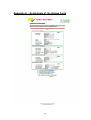
Locate the DNS settings (not the DNS servers), and look for mail records, there should be two
MX records. Make a note of the old records. Add, or change them to:Type
MX
MX
MX
MX
Priority
10
20
30
40
Record
mx1.spamsafemail.com.
mx2.spamsafemail.com.
mx3.spamsafemail.com.
mx4.spamsafemail.com.
Please Note: That there is a full stop after the “.com” in the record fields above. Also,
that it is not advisable to have any other MX records setup to any other “backup” server in
case a loop takes place. This would allow a spammer free access to send spam emails via
your systems, and lead to black listing outbound emails from your company. We have
multiple servers in multiple countries to cater for any Spam Safe Mail node being out of
service.
Changing DNS SPF TXT Records
Next, look for a record called “SPF” (Sender Policy Framework). If this does not exist, please
add one. Add, or change the DNS record of type “SPF” (or “TXT” if your control panel is
older) to.
Type
TXT
Record
v=spf1 a mx include:spamsafemail.com -all
Please ensure that you “Save” both the MX and the TXT records. Go back into this control
panel to ensure that the settings have taken.
Please Note: That any DNS changes may take 24 to 48 hours to replicate around the
Internet, so please be patient. However, after 6 to 12 hours, you may start seeing spam
emails being received into the spam sin bin, and transactions in the logs on the Spam Safe
Mail portal.
May we suggest that whilst you are waiting for DNS to propagate, why not start adding your
ordinary users, and perhaps let them know about the new filtering service that is now in place.
12