1
Introduction
This getting started guide is aimed at those non technical business administrators who are
currently using Microsoft Exchange Server, versions, 2000, 2003, 2007 and 2010. If you are
using another type of server, then please feel free to follow this user manual, however, please
read this guide in conjunction with your own mail server’s technical user guide, with special
reference to using a smart host in which to send email via.
Spam filtering can be a tricky business, but, if you follow this getting started guide, all of the
work to achieve everything you need is already done for you, and most clients will find this
guide suits all of their needs.
There are essentially five simple to follow steps to complete, they are:
1. Sign up for Spam Safe Mail using the automated signup wizard at:
http://www.SpamSafeMail.com/signup Please note: The information entered is
actually used to set you up in real time, and not to capture your data in a marketing
database. A sales person will not call you. You are dealing with an automated
setup process that if successful, will have your account up and running within 60
seconds and your domain filtering within 15 minutes from clicking the “Signup...”
button.
2. Set your server to use our smart host for all outbound email. This will enable our mail
gateways to learn of the language used in your business, and additionally,
automatically white list your contacts from outbound email sent via the service. Full
easy to follow instructions are given below.
3. Alter your DNS records for both MX and SPF. This is slightly more complicated, but,
we will give you the settings below, and nearly all clients complete this themselves, or
with the help of their domain name company.
4. Set your users up to see their own spam sin bin. This can be setup for them to
automatically register and do this once we know your domain name. This step makes
user administration a doddle.
5. Inform Spam Safe Mail of your clients and/or suppliers domain names by white listing
them. This is because while Spam Safe Mail is learning, email can still flow
unhindered.
Step 1 – Signing Up
There are a number of ways to setup your company with Spam Safe Mail, however, the
simplest and quickest way is to use and complete the simple form at:http://www.SpamSafeMail.com/signup
This section will let you know which parts of the form achieve what you need. Please refer to
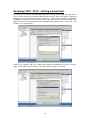
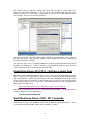
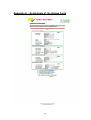
Appendix A for a view of the signup form.
There are quite a few fields that need to be completed to ensure that your mail system works
as it should. These are highlighted with a red spot. Please ensure that you pay special
attention to the fields with a red spot. In each section on the signup form, there is also a
“help” section offering you a quick help or reminder for each of the fields.
We suggest if you have two or more domains to set up, that you set up the domain that your
Exchange server uses for outbound email, ie, the primary email domain address. You can
always add the extra domain (or domains) later post signup, one you have logged in as the
administrator. See the section entitles “Adding additional domains”.
3