1
Magma
Table of Contents
Preface ......................................................................................................................................................................... 5
Advisories.......................................................................................................................................................................... 5
Safety Instructions ........................................................................................................................................................... 6
Chapter 1
ExpressBox 2200 Expansion ................................................................................................................. 8
ExpressBox 2200 PCI Express Specifications..............................................................................................................10
Pre-Installation Information .........................................................................................................................................11
ExpressBox 2200 (3 Slot iPass Expansion – Gen2) .....................................................................................................11
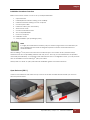
Components of ExpressBox 2200 ...............................................................................................................................12
Tools Required for Installation .....................................................................................................................................14
Chapter 1-A
Hardware Installation ..................................................................................................................... 14
Installation-Procedures Overview .........................................................................................................................15
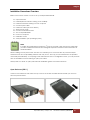
Open Enclosure (STEP 1) .........................................................................................................................................15
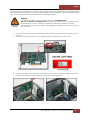
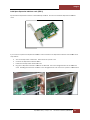
Install Ipass Expansion Interface card (STEP 2) ....................................................................................................16
Install Host Interface card (STEP 3) ........................................................................................................................17
Install PCIe Cards (STEP 4) .......................................................................................................................................19
Connect Ipass Cable (STEP 5) ................................................................................................................................22
Attach Power Cord (STEP 6) ...................................................................................................................................23
Connect to Electrical Outlets (STEP 7) ..................................................................................................................24
Turn ON Expansion Unit (STEP 8) .............................................................................................................................25
Power ON the Computer (STEP 9) .........................................................................................................................25
Hardware Check (STEP 10) .....................................................................................................................................25
Chapter 1-B
Software Installation ........................................................................................................................ 27
Software Check - Verify Installation (STEP 11) .....................................................................................................27
Check Magma Device - Windows 7 and 8 .........................................................................................................27
Check Magma device - Mac OS X ......................................................................................................................28
Check Magma device – Linux...............................................................................................................................29
How To Check PCIe cards - Mac OS X................................................................................................................. 29
How To Check PCIe cards - Windows 7 and 8 ...................................................................................................30
Chapter 1-C 5.25” Mounting Drive Bay Removal ............................................................................................... 31
Chapter 2
ExpressBox 2200-S8 Expansion .......................................................................................................... 34
ExpressBox 2200-S8 PCI Express Specifications .......................................................................................................35
Pre-Installation Information .........................................................................................................................................37
ExpressBox 2200-S8 (3 Slot iPass Storage – Gen2)....................................................................................................37
Components of ExpressBox 2200-S8 ..........................................................................................................................38
Tools Required for Installation .....................................................................................................................................40
ExpressBox 2200 |
2