1
USB Reader Link Ⓡ Manual
The USB Reader Link ® unit is used to send and receive CNC program files between
a CNC control and a USB memory stick. The USB Reader Link ® unit connects to the CNC
control via RS232 port. It can also ‘drip feed’ the CNC control - providing that the CNC
control is capable of receiving and executing a G code program via its RS232 port.
The USB Reader Link ®
kit contains the following items:
-
USB Reader Link ®
unit
-
1G USB memory stick (with User Manual installed in PDF format)
-
Charger with 110VAC wall plug connection
-
6’ cable with DB25 male connector for CNC connection
-
4 NiMh AA battery installed
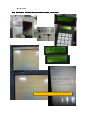
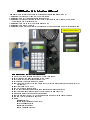
The USB Reader Link ®
unit has an On/Off switch at the top right side, a charger
connection with a ‘charge’ red led on its right side, a USB and an RS232 connector on its
top side, a 2x16 character LCD display and a 20 key keypad.
Turning the USB Reader Link ® unit ON and OFF
Flip the slide switch on the top right side of the unit to the UP position to turn it
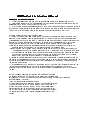
ON, and the DOWN position to turn it OFF. After turning the unit ON, its LCD display appears with a serial number,
then a Version number, also reporting if the charger is
detected or not and finally reporting if it detected a USB memory stick or not. Note here
that the USB memory stick is referred to by the CNC LINKS ®
unit as ‘USB key’. The
unit will also beep few times during the ‘boot’ procedure.
Recommendations to maximize battery life
The battery charging is managed by the USB Reader Link ®
units processor.
Therefore the unit needs to be turned ON for the charger to operate. If the unit’s power
switch is turned OFF and the charger is connected, only the so called ‘trickle charge’
takes place, which is a small charge current and can’t really fully charge a battery.
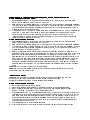
The USB Reader Link ® unit will ‘complain’ if its battery voltage is getting too low
(message on the LED plus beeping once every 2 seconds). That is when the user needs to do the following
a)
Remove the USB memory stick (if connected)
b) Plug in the battery charger
c) Turn the unit ON
As the unit is charging the small red LED light by the charger connector will be on. Once
the charging is done, the light will turn off and the unit will issue a short beeping sound
once about every 2 second as a reminder that charging is done and now its time to
remove the charger and to turn the unit off. Note here, that if this charging process is interrupted
(the user needs to up/down load a program), plugging the charger back will continue the charging process.
Also note here, that the user can manually start or stop a charging process in the 5) BATTERY CHECK menu.
General keypad operation
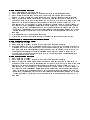
The USB Reader Link ®
unit has a very user friendly menu system. The user has a
20 key keypad available to make a selection, enter into a menu or type in a filename. The
keypad has a few dedicated keys available to speed up certain operations. The rest of the keys are alphanumeric
keys to enter numbers and letters.
Dedicated keys
HOME –
when listing a directory, pressing the HOME key will take the user to
the very beginning of the directory list. Also, pressing the HOME key while at the MAIN
menu will show the current BAUD rate, EOB character, code type and handshaking