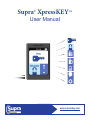
Download User Manual
Transcript
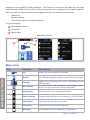
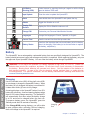
Table of Contents Preface................................................................................................................................. v Safety Terms and Symbols................................................................................................ v Introduction..........................................................................................................1 Supra XpressKEY Overview.............................................................................................. 2 System Components.......................................................................................................... 2 XpressKEY Basics.............................................................................................................. 2 Menu Icons.................................................................................................................... 3 Battery........................................................................................................................... 4 Get Started ..........................................................................................................6 Power Up............................................................................................................................. 7 Agent Identification............................................................................................................ 7 Automatic Update............................................................................................................... 7 Manual Update and Sync................................................................................................... 7 Obtain an Update Code................................................................................................. 8 Enter an Update Code .................................................................................................. 8 XpressKEY Operations.......................................................................................10 Keyboxes........................................................................................................................... 11 Key Container.............................................................................................................. 11 Keybox Showing Hours............................................................................................... 12 Keybox Battery Warnings............................................................................................ 12 Call Before Showing......................................................................................................... 12 Cooperating in Neighboring Areas................................................................................. 12 Obtain Key......................................................................................................................... 13 Open/Release Shackle..................................................................................................... 14 Keybox Assistant.............................................................................................................. 14 Flashlight........................................................................................................................... 15 Additional Features............................................................................................16 Manage Keyboxes............................................................................................................. 17 Read a Keybox............................................................................................................ 17 View Keybox Showings............................................................................................... 18 Keybox Settings........................................................................................................... 18 Clear Keybox............................................................................................................... 19 Preferences....................................................................................................................... 19 Vibrate Mode............................................................................................................... 19 Display PIN or Shackle Code Mode............................................................................ 20 Change PIN Code....................................................................................................... 20 Languages................................................................................................................... 21 Messages........................................................................................................................... 21 CBS.................................................................................................................................... 22 Input Update...................................................................................................................... 23 About.................................................................................................................................. 23 View XpressKEY Details.............................................................................................. 23 View Error List............................................................................................................. 24 Manage XpressKEY in SupraWEB....................................................................25 SupraWEB Functions....................................................................................................... 26 SupraWEB Login............................................................................................................... 26 Identify a Keyholder by Serial Number........................................................................... 27 iii