1
User Manual
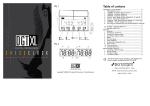
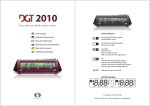
Fig. 1
OFF
ON
Reset or
new game:
switch off
and on
Back
Storage
-1
Sound
+1
Moves
Run/Pause
OK
Adjust
Fig. 2
D
C
E
D
C
Introduction: Timing Methods ......................................................2
1. TIME (Options 1 to 5) .......................................................2
2. 1 PERIOD + Guillotine (Options 6 and 7) .................................2
3. 2 PERIODS + Guillotine (Option 8) ........................................2
4. 3 PERIODS + Guillotine (Option 9) ........................................2
5. ‘Fischer’- Blitz, Rapid and Slow (Options 10, 11 and 12) .............2
6. ‘Fischer’- Tournament (Option 13) .......................................2
7. ‘Bronstein’- Blitz, Rapid and Slow (Options 14, 15 and 16)...........2
8. 2 PERIODS + ‘Fischer’ (Options 17 and 18) ..............................2
9. ‘GO’ using the Canadian Byo-yomi method (Options 19 and 20) .....2
10. Scrabble® + Upcount (Option 21) .........................................2
11. Hourglass (Option 22).......................................................2
12. Internet Chess (Option 23).................................................2
1. Batteries......................................................................3
2. Switching on the DGT XL ...................................................3
3. Choosing an option number................................................3
4. Activating an option number ..............................................3
5. Buzzer.........................................................................3
6. Starting a game..............................................................3
7. Color indication .............................................................3
8. Temporarily stopping the timer...........................................3
9. Move counter, Option Check, Battery condition .......................3
10. Time corrections ............................................................3
13. Message Display .............................................................3
Manual settings: Option 00 .........................................................3
1. Activating a default setting................................................3
2. Manual settings ..............................................................3
3. A simple example ...........................................................4
4. A complex example .........................................................4
List of Options ........................................................................4
This DGT Projects product complies to the regulations for electro
magnetic compatibility EMC 89/336/EEC
B
A
G F
A
WWW.DGTPROJECTS.COM
WWW.DIGITALEXCELLENCE.ORG
WWW.DGTXL.COM
Version 1.10
©
Copyright 2003 DGT Projects BV Enschede, The Netherlands
09-2003
Introduction: Timing Methods
Time is an exciting aspect of many sports. This is certainly true in games such as
chess, go, draughts, shogi and Scrabble®. A players' skill is determined not only by
decisions, but by how quickly those decisions are made. The more a sport is seen
as a contest, the more important it becomes to reduce the time a player has to
perform an action. This should be realized in a way that is closest in line with the
typical features of the contest and the sport that is practiced.
The DGT XL offers 11 different standard methods for timing two-player games.
The thinking times that are most commonly used are pre-programmed in the DGT
Clock as options 1 to 22, but it is also possible to combine different methods by
manually setting your own personal preferences (use option 00).
Whilst several methods are well known, others may be less familiar to you.
Several of these methods have been in use for a long time; others are the result
of the possibilities now offered by modern electronics.
Every method has its own charm and has an influence on the manner in which a
sport is experienced.
The traditional "quickie" of 5 minutes per person is different from 3 minutes using
‘Bronstein’ or ‘Fischer’ in which every move attracts an extra 3 seconds of
thinking time, although the total thinking time for a game is hardly any different.
We recommend players to experiment with the various methods which the DGT
XL offers. It can add an extra dimension to your favorite sport.
1. TIME (Options 1 to 5)
This is the simplest way to allocate time. Each player is given one period in which
they must make all moves.
2. 1 PERIOD + Guillotine (Options 6 and 7)
The first period is used to play a predetermined number of moves. The second
period, the Guillotine, is used to finish the game. 1 Period + Guillotine can be
used as an alternative to the traditional ‘’Rapid and Blitz’’ with a quiet start.
3. 2 PERIODS + Guillotine (Option 8)
For a less frantic game, it is possible to play a game with two periods before the
Guillotine.
4. 3 PERIODS + Guillotine (Option 9)
A quiet end to a game also has its advantages. The simple traditional clock gives
the players repeated one-hour periods in which to complete a predetermined
number of moves.
For more than 50 years, it was standard in chess to play a serious game in two
periods separated by a break. This had two disadvantages:
2
Games could not always be decided after two periods.
From 1990 onwards, the increasing strength of chess computers and endgame
databases added what some considered an unfair advantage in the ability to
analyze adjourned games.
Various proposals were made for ways to finish games in one session, without
having to resort to the Guillotine method, as this method may influence the final
result of the game in a way that can be unsatisfactory to the players.
The ‘Bronstein’ delay’ and ‘Fischer’ methods provided a solution by giving
players a predetermined amount of extra thinking time after making each move.
After the introduction of the Digital Game Timer in 1994 the application of the
above-mentioned methods has been a major topic in discussions in the chess
world. The results of these discussions have been translated successfully into the
new DGT XL.
5. ‘Fischer’- Blitz, Rapid and Slow (Options 10, 11 and 12)
This method applies from the first move, allowing a player to gain extra time
apart from the standard period, as every completed move attracts extra time. By
completing moves in a time that is shorter than the extra time per move, a
player can build up the thinking time available for subsequent moves.
6. ‘Fischer’- Tournament (Option 13)
The ‘Fischer’- Tournament method is the most complex in the way thinking time
is regulated. In addition to the extra time available per move, the player is also
allotted an extra amount of principal thinking time after a predetermined
number of moves has been completed.For this option a move counter is
available. This counts the number of completed moves (that is: the sum total of
the moves played by both white and black). The allocation of new principal
thinking time occurs only at the appropriate moment if the DGT XL is carefully
operated.
Note: The DGT XL remembers, through the operation of the lever at the start
of a game, which player is playing white. The icons Error! Not a valid
in the display (Fig. 2 F) clearly show which
bookmark self-reference. and
player is to move. This has consequences for the moment when a player
exceeds the available thinking time for the first time. If black is the first to
exceed the allotted time for the first period then white receives a double
bonus. The correct operation of the lever is important in the ‘Fischer’ and
‘Fischer Tournament’ options.
7. ‘Bronstein’- Blitz, Rapid and Slow (Options 14, 15 and 16)
The oldest proposal from the chess world for a solution to the problem of limited
thinking time came from IGM David Bronstein.
His method applies from the first move. The principal thinking time is reduced by
delay. Before the principal thinking time is reduced the player has a fixed
amount of time to complete a move. It is not possible to increase the thinking
time by playing more quickly as it is in the ‘FIDE’ and ‘Fischer’ methods.
8. 2 PERIODS + ‘Fischer’ (Options 17 and 18)
This method also applies from the first move. Starting the game in a traditional
way, the player has to complete a predetermined number of moves within a fixed
period of time. By playing the last period using ‘Fischer’, situations where time
trouble influences the result of the game too much can be avoided.
Always ensure that the lever is in the correct position before a game begins.
9. ‘GO’ using the Canadian Byo-yomi method (Options 19 and
20)
This method is derived from the original Japanese Byo-yomi method of the game
‘GO’. When playing with traditional clocks was the method that was most
commonly used, an official who would be in control of the time using a
stopwatch would always accompany the players.
The player gets an extra 5 or 10 minutes of extra thinking time to complete a
predetermined number of moves, usually 10 or 15, after the standard thinking
time has been used up.
When the Byo-yomi method is active it is possible to reload the Byo-yomi time
for the player whose time is currently counting down by pressing and holding
the BACK button
for three seconds. After this Byo-yomi time has appeared
in the display a player must indicate their turn is over.
10. Scrabble® + Upcount (Option 21)
In Scrabble, games have to be finished, even if a player exceeds the available
thinking time. The more time a player uses after exceeding the available thinking
time, the bigger the number of points that will be subtracted.
You can use Upcount as an independent method by choosing manual settings
(option 00). This way, the display will show 0 seconds when starting the game.
11. Hourglass (Option 22)
The thinking time for the player to move decreases, while simultaneously the
opponent’s thinking time increases.
This method offers an exciting alternative to the traditional ‘quickie’.
12. Internet Chess (Option 23)
In combination with a DGT Electronic Chess Board, the DGT XL can be used for
playing games on Internet Chess servers, or as a computer controlled clock for
playing against chess programs. When option 23 is activated, the clock accepts
game timing instructions or messages from the server. For these functions, the
board driver version 1.10 or later (dgtebdll.dll) must be used. This driver and
additional information is available on www.dgtprojects.com
Operation
position of the lever. The display will show which side has started the game
playing white.
1. Batteries
7. Color indication
The DGT XL requires 2 AA (penlight) batteries. We recommend alkaline batteries.
To insert the batteries, remove the cover from the battery compartment on the
bottom of the timer by clicking on it.
NOTE: If you do not plan to use your timer for a long period, we recommend that
you remove its batteries.
If ‘BAT’ (Fig. 2G) appears on the timer display, the batteries are nearly
discharged and should be replaced as soon as possible. When this message first
appears, the batteries still contain enough energy to allow the current game to
be completed.
Central in the display of the DGT XL the icons Error! Not a valid bookmark selfreference. and
indicate which player is playing which color (Fig. 2 F). To set
this default, ensure the lever is in the correct position before starting the timer.
White is always the side where the lever is lifted at the start of a game. The
automatic move counter will respond to this position.
When playing ‘Fischer’ in multiple periods where transitions to the next period
are dependent on a predetermined number of moves, it is extremely important
to set the correct color indication, as otherwise the automatic adding of extra
time per move will fail during transitions.
See the below paragraph 9 how to check the battery condition.
2. Switching on the DGT XL
Switch the time on and off with the ON/OFF switch on the bottom of the DGT XL.
If you want to reset the clock after a game you will have to switch off the clock
first using the ON/OFF switch.
3. Choosing an option number
When you switch on the timer, the display shows the option number that was last
selected. Press the
(+1) or
(–1) buttons in order to change the number on
the timer’s display (Fig. 1).
4. Activating an option number
When the selected option number appears in the display, press
(OK) to
activate this number. The starting time will now appear in the display. To check
the option number during a game, see paragraph 9.
For details on manual settings (option 00), see the Manual Settings section.
8. Temporarily stopping the timer
During the course of a game, you can temporarily stop the timer by pressing the
Run/Pause
button.
Restart the timer by pressing the Run/Pause button
6. Starting a game
After activating the option number, press the Run/Pause button
to start the
timer. Ensure the lever is in the correct position before the game begins. This is
especially important when playing ‘Fischer’ or ‘Bronstein’, as the clock will
‘know’ who is to play white and who is to play black by recognizing the initial
3
Run/Pause button
. The timer continues using the changed times.
13. Message Display
In combination with a DGT Electronic Chess Board, the DGT XL can display
messages, i.e. computer moves or move errors, when used in combination with
chess programs.
In all modes the clock accepts messages from the computer. See Timing Methods
par. 12 Internet Chess for further information
again.
If the lever position is changed on a stopped clock, the time correction
procedure is started, to check or change the main times, move numbers or
period numbers.
9. Move counter, Option Check, Battery condition
During the course of a game, you can check the number of completed moves by
pressing the
(Moves) button. The display will show the number of moves
played so far.
button, after 3 seconds the active option number will be
When holding the
showed. If one of the stored user programs is active, this will be indicated by a
leading
. Again after 3 seconds the battery condition will be showed, as a
value, where at 100 or lower, the battery warning is lit and batteries must be
replaced. At approx. 85 the clock stops working.
During these checks, the timer will continue normally.
5. Buzzer
The DGT XL has an automatic sound signal, which indicates that a player
approaches and exceeds the time limit. Switch the buzzer on or off by pressing
and holding the sound button
firmly for three seconds. The symbol
in the
display (Fig. 2 E) shows the sound signal is switched on.
When you have changed and accepted both players’ times, the move counter will
appear in the display. You can change it as well by pressing the
or
buttons.
When changing the move counter of the right player it is possible that the player
color icons Error! Not a valid bookmark self-reference. and
will change as
well, as the logical result of the input of the number moves and the position of
the lever.
If more periods are programmed or active, the period number can now be
changed. The Fischer Tournament Program is completely derived from the input
of the number of moves.
When the digits have stopped flashing, you can start the timer by pressing the
10. Time corrections
During a game you can change the time that is currently displayed by pressing the
and subsequently holding the Adjust button
for three
Pause button
seconds until the left digit flashes.
To change the flashing digit (the number of hours of the left player), press
or
. As each desired digit appears in the display, press
. This causes the next
digit to flash.
The sequence of digits is as follows: Hours, tens of minutes, minutes, and in the
similar position in the display tens of seconds and seconds. First change the left
player’s time, then the right player’s time.
Manual settings: Option 00
Option 00 offers the maximal freedom to set the DGT XL according to your
personal preferences. It is possible to choose from the different timing methods,
as well as to set your own preferred default settings, or just to combine different
systems. The maximum number of personal default settings is 5; they can all be
saved and recalled at a time to your own choice.
When starting the DGT XL select option 00 using the
or
buttons and press
to activate it.
1. Activating a default setting
for a few seconds while
To activate a default setting hold the Store button
the option digit is flashing. (Load) will appear in the left display. Then select
one of the five default settings (1 .. 5, Fig. 2 B) by using the
or
buttons.
Finally, press
to confirm your choice. By pressing the Run/Pause button
briefly this default setting is activated. By pressing the Run/Pause button
again, the timer will be activated for the start of a new game.
2. Manual settings
In a manual setting you can create up to five consecutive periods, setting a
standard method (Time, Fischer, Bronstein Delay, Hourglass, Upcount, Byo-yomi)
for each period with desired values for both time and number of moves.
A manual setting can be saved after input.
Choose Option 00.
On the left the number 1 will appear (Fig. 2 B) to indicate the first period has to
be set.
Select a timing method (Fig. 2 C) by proceeding to the desired method using the
or
buttons buttons. Confirm by pressing
.
or
Set the standard time for the player on the left in the left display. Use the
buttons and confirm by pressing
. It is possible to return to the previous
digit using the
(BACK) button. Set after each other: Hours, tens of minutes,
single minutes, tens of seconds, seconds. Continue to the right display and repeat
the procedure for the player on the right.
When using ‘Fischer’ or ‘Bronstein’ Delay, subsequently set the extra time per
move or the delay time per move in minutes and seconds. When using ‘Fischer’,
you will also have to set the number of moves for the first period afterwards.
When using ‘Fischer’ the following is of particular importance: When using
‘Fischer’, it is possible to choose when to start the next period. If you set the
number of predetermined moves as 00, the next period will start as soon as the
first player has run out of time. However, if you set a number between 01 and
99, the next period will start as soon as the player has individually completed this
number of moves.
Programming a non-zero amount of moves for a "Fischer" period only has
effect, if all previous periods (if any) were programmed as "Fischer" with nonzero moves.
If you just want to set one period, then proceed to END by pressing
or
buttons and confirm by pressing
.
If you want to set multiple periods, then first choose the timing method you want
to use for each period and then complete the procedure per period as indicated
above. After you have set the last period, finish by pressing END.
Note: Not all sequences of methods are allowed to be set. If logically a
sequence of settings is impossible, it is impossible to select these settings. If,
for example, the second period has been specified as Upcount, it is impossible
to set a third period after Upcount.
for a few seconds.
If you want to save the set time, hold the STORE button
(Program) will now appear in the left display. Continue choosing the number (1 to
5) (Fig. 2 B) of the default setting using
or
buttons and confirm by pressing
. You can start the game by pressing Run/Pause
.
Below you will find two examples of setting a program. On our Internet site,
www.dgtprojects.com, you will find more examples.
3. A simple example
Suppose you want to play a game with 15 minutes for the player on the left and
30 minutes for the (slightly weaker) player on the right. Suppose you want to
save this as default setting number 3.
•
•
•
•
4
Select option number 00
Confirm by pressing
Select TIME
Confirm by pressing
•
•
•
•
•
•
Set as follows: 0,
, 1,
, 5,
, 0,
, 0,
Select END
Confirm by pressing
button for a few seconds
Hold the
Select default setting number 3
Confirm by pressing
.
, 0,
, 0,
, 3,
, 0,
, 0,
4. A complex example
Suppose you want to play in 3 periods. 40 moves in 1 hour and 30 minutes,
followed by 20 moves in 30 minutes, and finish playing “Fischer” with an extra 20
seconds attracted per move. Suppose you save it as default setting number 5.
•
•
•
•
•
•
•
•
•
•
•
•
•
•
•
•
•
Select option number 00
Confirm by pressing
Select TIME
Confirm by pressing
Set as follows: 1,
, 3,
, 0,
, 0,
, 0,
, 1,
, 3,
0,
, 0,
,
0,
This completes period 1
Again select TIME
Confirm by pressing
Set as follows: 0,
, 3,
, 0,
, 0,
, 0,
This completes period 2
Select ‘FISCH’
Set as follows: 0,
, 1,
, 0,
, 0,
, 0,
, (= 10 minutes standard
time) 0,
, 2,
, 0,
(=20 seconds extra per move) 0,
, 0,
(=number of moves 0, for a final period using ‘Fischer’ set 0 as the number
of moves, for multiple periods set the number of moves per period)
Select END
Confirm by pressing
Hold the
button for a few seconds
Select default setting number 5
.
Confirm by pressing
List of options
Option
00:
01
02
03
04
05
06
07
08
09
10
11
12
13
14
15
16
17
18
19
20
21
22
23
Clock type
Basic + extra time
Manual set to store max 5 personal settings of max 5 periods.
Free mix of timing systems (main time, additional time, amount of
moves).
TIME
5 min
TIME
10 min
TIME
25 min
TIME
1H
TIME
2H
TIME fb. Guillotine
1H45 fb. 15 min
TIME fb. Guillotine
2H fb. 1H
TIME (2x) fb. Guillotine
2H fb. 1H fb. 30 min
TIME (3x) fb. Guillotine
2H fb. 1H fb. 1H fb. 1H
“Fischer” Blitz
3 min + 2 sec/move
“Fischer” Rapid
25 min + 10 sec/move
“Fischer” Slow
90 min + 30 sec/move
“Fischer” Tournament
100 min/40moves fb. 50 min/20moves fb. 10
min; All + 30 sec/move
“Bronstein” Delay Blitz
5 min, 3 sec/move free
“Bronstein” Delay Rapid 25 min, 10 sec/move free
“Bronstein” Delay Slow
1H55, 5 sec/move free
TIME fb. “Fischer”
2H TIME fb. 10 min + 30 sec/move
TIME (2x) fb. “Fischer”
2H TIME fb. 1H TIME fb. 15 min + 30 sec/move
Go: Canadian Byo-yomi
1H fb. 5 min byo-yomi
Go: Canadian Byo-yomi
2H fb. 10 min byo-yomi
Scrabble©
25 min TIME, fb. upcount
Hour Glass
1 min each
Internet Chess
Computer controlled
H = Hours
fb. = Followed by