1
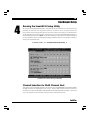
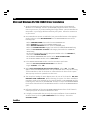
32 Microsoft Windows 95/95b (OSR2) Driver Installation Updating the Initio Windows 95B (OSR2) Device Driver 1 Once a Windows 95 session is established, select MY COMPUTER from your desktop. Execute the following steps: Select CONTROL PANEL from within the MY COMPUTER group Select SYSTEM from within the CONTROL PANEL group Select the DEVICE MANAGER tab from within the SYSTEM group Select the SCSI CONTROLLERS category from within the DEVICE MANAGER listing Select the Initio INI-9XXXU/UW PCI SCSI Host Adapter sub-categories from within the SCSI CONTROLLERS listing (or any other INI-9100U/UW class of drivers if you are using an older Initio product) 2 In the INI-9XXXU/9XXXUW SCSI HOST ADAPTER PROPERTIES window, select the DRIVER tab, then select UPDATE DRIVER... Select Next Select the OTHER LOCATION Type A:\WIN95, then select OK Select FINISH At promptInsert Disk labled INI-9XXXU/9XXXUW driver , select OK At prompt Copying file, replace the highlighted directory path with A:\Win95, then select OK. This will complete loading the INI910U.MPD driver onto your hard disk drive. This completes updating the Host Adapter Driver. Follow the on-screen directions to restart you computer and activate the new driver. It is highly recommended that you verify Initios Windows 95 device driver by selecting MY COMPUTER from the desktop. Then select CONTROL PANEL: Select SYSTEM from within the CONTROL PANEL group, Select DEVICE MANAGER from within the SYSTEM group, Select SCSI CONTROLLER from within the DEVICE MANAGER listing, and Select the Initio INI-9XXXU/UW PCI SCSI Host Adapter entries from within the SCSI CONTROLLER listing. If This device is working properly is displayed on your screen, the driver has been correctly installed. initio ®