1
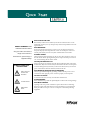
Don’t Look Into The Lens!
SAFETY SUMMARY: Please
read these instructions before
using your LitePro 210. Failure to
comply could result in fire,
electrical shock, personal injury or
equipment damage.
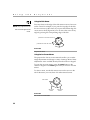
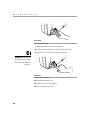
Be extremely careful not to look directly into the lens when the 210 is on. The
bright light can harm your eyes. Be especially careful to keep children from looking into the lens.
Don’t Disassemble
Do not open the 210 case! Doing so exposes you to an electric shock hazard.
Except for the projection lamp, there are no user-serviceable parts. All service
must be performed by an In Focus Systems Authorized Service Provider.
Avoid Hot Surfaces
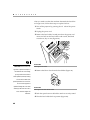
The inside of the 210 lamp housing can be very hot. Allow the 210 to cool for at
least 45 minutes before opening the lamp door to replace the lamp. Use extreme
care. Avoid touching the hot surfaces inside.
Use Only The 210 Power Cord
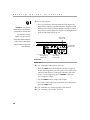
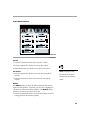
Definition of Safety Icons
on Product Labels
Always use the power cord that came with the 210. Although other cords might
look the same, they have not been safety-tested with the 210. Never use the power
cord if it’s damaged or frayed. When you disconnect the 210, always remove the
power cord from the electrical outlet first, then from the 210.
Don’t Defeat The Purpose Of The Grounding Plug
Refer to the User’s
Guide for more
information.
The 210 is grounded through the grounding conductor on the power cord. To
avoid electric shock, plug the power cord into a properly wired receptacle.
Use The Correct Fuse
To avoid the risk of fire, use only a T6.3AH 250V 5x20mm fuse.
Avoid Liquid Spills
Avoid hot surfaces.
Don’t set drinks on top of the 210. Spilled liquids can flow inside causing damage.
Don’t Block Ventilation
Bulb explosion
hazard.
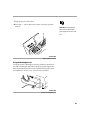
Openings in the case provide ventilation to protect the 210 from overheating.
Keep loose papers and other objects away from the bottom, top and side grills.
Don’t place the 210 on top of or close to a computer or other heat-producing
equipment.