1
2. Product Overview
No.
Description
1
HANDSET
3
MONITOR BUTTON
5
DOOR RELEASE BUTTON
2
4
6
7
8
MONITOR
INTERPHONE BUTTON
RINGTONES VOLUME
No.
9
10
11
Description
UP BUTTON(△) /
DOWN BUTTON(▽)
POWER SWITCH
EXTERNAL CONNECTION
TERMINAL
MENU BUTTON
SELECT BUTTON
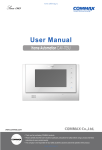
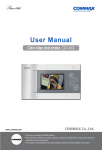
① HANDSET
② MONITOR: The image of visitor is shown.
③ MONITOR BUTTON(ENTRANCE) : Check the situation of entrance.
④ INTERPHONE BUTTON : Call the interphone.
⑤ DOOR RELEASE BUTTON : Release the door for visitor.
⑥ RINGTONES VOLUME : Adjust the ringtones volume.
⑦ MENU BUTTON
To enter the menu for screen control, mute setting and product information.
⑧ SELECT(SELECT BUTTON): Press to select an item from the menu.
⑨ UP BUTTON : Move from the menu items to up and right.
DOWN BUTTON : Move from the menu items to down and left.
⑩ POWER SWITCH : Turn your device on and off.
⑪ EXTERNAL CONNECTION TERMINAL : For product update and connection
between lobby and interphone.
4