1
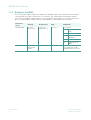
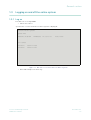
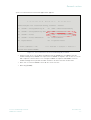
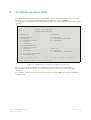
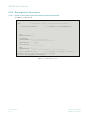
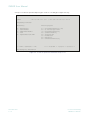
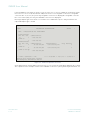
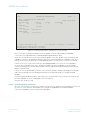
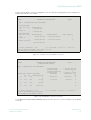
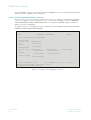
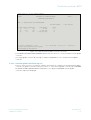
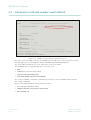
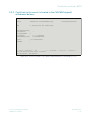
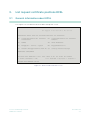
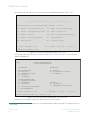
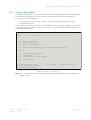
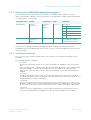
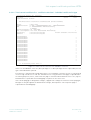
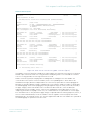
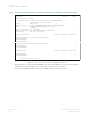
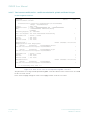
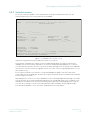
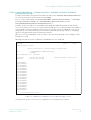
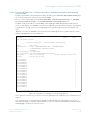
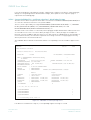
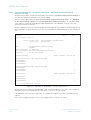
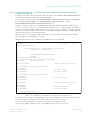
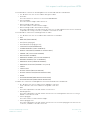
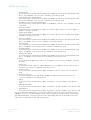
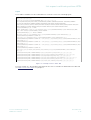
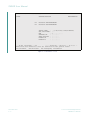
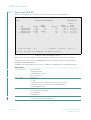
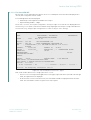
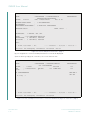
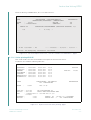
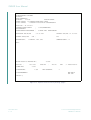
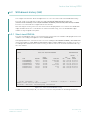
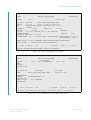
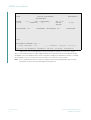
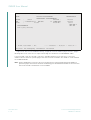
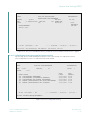
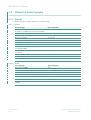
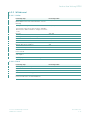
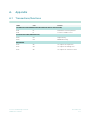
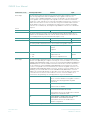
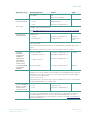
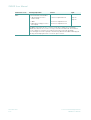
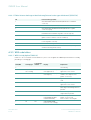
Certificate positions KCKI
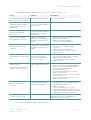
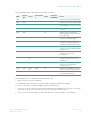
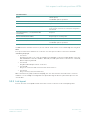
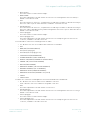
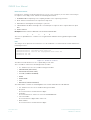
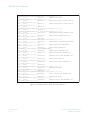
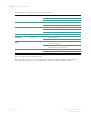
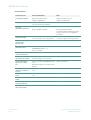
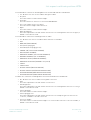
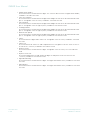
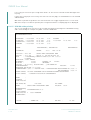
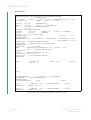
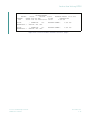
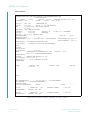
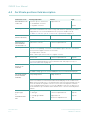
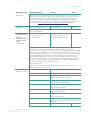
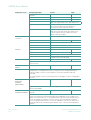
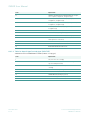
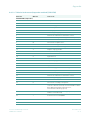
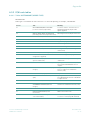
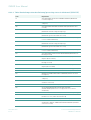
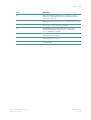
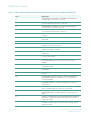
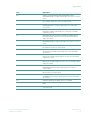
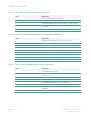
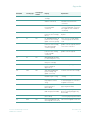
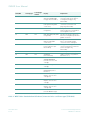
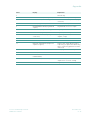
Only valid and/or logical input options are listed on the table.
WKN
Deposit
type
Literal
Denominatio
n
KZ-SU
Collective/
Org Number
Screen
Input
-
-
-
-
-
Complete overview (GU, RU and EU)
Input
Input
-
-
-
-
Complete overview for a deposit type
Input
-
-
-
Yes
-
Complete overview permanent
global and global certificates (up-to)
Input
-
-
-
No
-
Complete overview individual
certificates
Input
Input
-
-
Yes
-
Complete overview permanent
global and global certificates (up-to)
for a deposit type
Input
Input
-
-
No
-
Complete overview individual
certificates for a deposit type
Input
Input
-
Input
No
-
Complete overview individual
certificates for a deposit type for a
denomination (with/without literal)
Input
-
-
Input
No
-
Complete overview individual
certificates for a denomination (with/
without literal)
Input
-
Literal
Input
No
-
Complete overview individual
certificates for the literal/
denomination
Input
-
Input
="/"
Input
No
-
Complete overview individual
certificates without literal for the
denomination
Input
-
-
-
-
Input
Complete view GU or RU including
the collective or organisation
number entered
Input
Input
Input
="/”
Input
No
-
Complete view individual certificates
without literal for the denomination
Input
Input
Literal
Input
No
-
Complete view individual certificates
for a literal/denomination
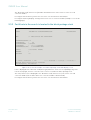
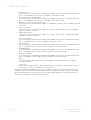
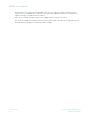
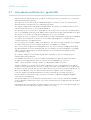
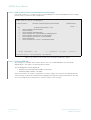
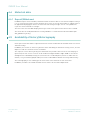
The following points are important to understand this table:
•
Input means the entry of a valid value.
•
Combinations other than those listed in the table are pointless and/or not allowed.
•
A literal can only be entered in combination with a denomination.
•
If no literal is specified then all literals for a denomination are displayed. The character "/" must be
entered in the literal selection field in order to select positions without a literal.
•
The entry of a certificate number is only required for the certificate number search KCKI/IS.
Clearstream Banking Frankfurt
CARAD User Manual
November 2011
2-9