1
Contents
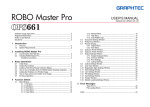
ROBO Master
Index
OPS656
1 Introduction
1.3 Usage Precautions
• Only the following DXF objects can be loaded: Lines, polylines, splines, circles, arcs,
and ellipses. Block-referenced objects or splines, text, and dimension lines cannot
be loaded.
This ROBO Master software is editing/output software that enables the creation of
outline data consisting of simple objects and text, and the output of the created data
to the Craft ROBO. Furthermore, it supports convenient functions that enable the
capturing of image data into the software and the automatic creation of registration
marks for Print & Cut applications.
• For details on setting and operating the Craft ROBO, please refer to the Craft ROBO
user's manual.
* All screens shown in this manual are those of Windows 2000.
1.1 Features
ROBO Master has the following features:
(1) Supports a function for automatically creating registration marks.
(2) Provides a preview display of a printing image, cutting image, or their
superimposed images.
(3) Can load DXF files in AutoCAD R13 format.
(4) Allows the selection of whether or not to output for each color when outputting to
the Craft ROBO.
(5) To facilitate weeding of the cut media, the Weed Border cutting function enables
automatic output of a border when outputting to the Craft ROBO.
(6) Any object exceeding the Craft ROBO's cutting range can be output in multiple
pages using the Tiling function when outputting to the Craft ROBO.
1.2 System Requirements
The minimum system requirements to run the software are as follows.
• Operating System: Windows 98 Second Edition/Windows Me/Windows
2000/Windows XP
• CPU: Pentium III 600 MHz or higher
• Memory: 128 MB or more (at least 256 MB recommended)
• Monitor: 1024 x 768 High color (True Color recommended)
• Mouse
• Supported plotter (when cutting): Craft ROBO (CC100-20)
• Supported printers (when printing): Windows-compatible printers (inkjet printers
recommended)
3