Transcript
Printing Specifications:
6328 Oleatha Avenue
St. Louis, Missouri 63139
Tel. & Fax: (314) 352-1671
email: [email protected]
Graphic Artist:
Client:
Job Number:
File name:
Date Created:
Date Approved:
Job Description:
Job Type:
Printer:
DOES NOT PRINT
DIELINE
Robert Curran
MOULTRIE FEEDERS
MF1010
DGC_instructions_cra_r8.ai8
5.23.05 revised 9.5.05
5.25.05 by JK
Digital Game Camera 100 series
Instructions
F.A. provided to Grandtech_via_email_5.25
CROP MARKS
Photography:
Paper stock:
Final size:
Coating:
LPI:
Process
100% - K
All images print as final art
Standard white stock
3.5" (w) x 2.83" (h)
n/a
175
MFHDGC_INSTRUCTIONS_EXTERIOR SPREAD_8.26.05
•
OPERATIONS
INFRARED SENSOR
DETECTION
The game camera's infrared sensor will trigger camera when
motion is detected infront of the camera infrared sensor.
AIMING INFRARED SENSOR
If your Game camera is not equipped with a laser aiming
device you can use the systems (INFRARED SENSOR) to
aim your camera. Walk in front of the camera and the Status
Light will flash when you enter the field of view. This
indicates Infrared activation.
6
•
MEMORY
CAPACITY & STORAGE
Your digital game camera has two
types of memory capacity.
1) Internal memory.
2) Optional SD memory card.
NOTE: Optional SD memory card
will override internal memory.
Maximum card size is 256 MB.
MEMORY CHART
COMPUTER IMAGE VIEWING (Setup Mode Only)
Move the Switch to (ON). Connect unit USB OUT to a USB
jack on the computer.Double click "My Computer"
on the desktop and browse
"removable disk". USB works
only in SETUP mode. All your
images will be stored inside.
Images can be downloaded to
your hard drive. The first image
in the video mode is still and
contains time and date
NOTE: PC requires
windows 2000/ME/XP.
information for the video clip.
7
CAMERA
•
DESCRIPTION
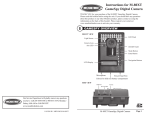
Viewfinder
Light Sensor
Shutter Button
Camera Lens
(handheld)
LCD Status
Display
Image capacity is based on average use and will vary.
Image
Internal Memory
Standard
High Res
Video Clips
640 x 480 = 100 pics.
1280 x 1024 = 24 pics
10 frames per sec. = 9
Image
Optional 256 MB Card
Standard
High Res
Video Clips
640 x 480 = 2,320 pics.
1280 x 1024 = 608 pics
10 frames per sec. = 288
Infrared
Sensor
SD MEMORY CARD NOT INSTALLED: When the camera is turned
on and an SD memory card is not present, pictures are automatically
stored in the on-board camera memory. The stored images may only
be viewed on a computer or TV connected to the unit.
INSERTING AN SD MEMORY CARD: When an SD memory card is
inserted, any pictures stored in the camera on-board memory
become inaccessible, but are not lost. The user can access these
pictures via the camera USB port when the SD memory card is not
installed.
NOTE: If you get a message (CHECK MEMORY CARD) Your card
may be locked, full or defective and will not work.
•
Weather
Resistant
Housing
Mounting
Strap Lug
IMPORTANT: Always turn unit off when inserting or
removing a memory card to avoid damage and ensure
that the camera properly updates the memory
information.
OPERATIONS
Lockable
Latch
Status Light
Pressure
Equalization Hole
Power ON/OFF
(AIM optional)
Laser (optional)
Select Button (setup)
Electronic Flash
Status Light
Mode Button
Battery Hold Down Clips
Battery Compartment
SD Memory
Card Slot
TV Out
USB Out
8
CAMERA
•
SPECIFICATIONS
Auto or Handheld
Weather-resistant and lockable
Liquid Crystal Display (LCD)
Operating Mode
Pictures taken
Pictures left
Events
Battery Strength
Camera status
Status LED
Camera, Flash or IR activity
Sensor
1.3 Megapixel
Built-in Memory
Stores pictures or video
Memory Card
Up to 256 MB SD card (optional)
Format
JPEG - Still pictures, AVI - Video clips
Image Output
USB OUT, TV OUT, SD Card
USB Output
Requires PC / Windows 2000/ME/XP.
Picture Delay
Variable 1 Minute - 60 Minutes
Sequential Delay
15 Seconds between still pictures
Lens
Multi element, 10.2mm, F:2.8
Field of View
42°
Focus
4' - Infinity
Infrared Sensor
Passive
Infrared Distance
32'
Infrared Width
22°
Flash
On, Auto or Off ( Security)
Flash Range
30'
Flash Cycle
15 Seconds
Power Supply
6 Volt Lantern Battery or equivalent
Duty Cycle
20 day average with 6 volt/6 ah battery
Power Connection
Alligator clips, red = (+) / black = (-)
Battery Hold Downs Holds battery in place
Clock Battery
3 Volt battery powers LCD Time/Date
Laser Aim (optional) Class 2
Size
7" X 10.25" X 3.5"
Accessories
Rechargeable battery, Memory Cards.
Operational Mode
Housing
Display
LCD Status Display
DIGITAL GAME CAMERA 100
USER MANUAL
Please take a few minutes
to read and understand these
instructions before using.
1
3EASY STEPS
and you are ready to go!
TV IMAGE VIEWING
Move the Switch to (ON). Connect unit TV OUT to a VIDEO
IN jack on your TV. Use the (CHANGE) buttons to scroll
through recorded images. Video cable included. TV OUT
works only in (SETUP) mode. All pictures
on memory card can be printed or edited
directly from the card.
Weather-Resistant Seal
Use optional card reader to
read images on card.
Change Buttons
UP Down
Control Box Latch
Battery Connector
( - black )
Battery Connector
( + red )
Load Battery and Turn
On Power
WARRANTY
This product has been thoroughly tested and inspected before shipment. It is
guaranteed from defects in material and workmanship from the date of
purchase for 1 year. Under this limited guarantee we agree to replace or
repair free of charge any part or parts which have been found to be defective
in original material or workmanship. Should you require in-warranty service,
call our Customer Service Department. If your problem cannot be addressed
over the telephone, we may need you to send us your defective product plus
proof of purchase.
B
IMPORTANT: This equipment has been tested and found to comply with the limits
for a Class B digital device, pursuant to part 15 of the FCC Rules. These limits are
designed to provide reasonable protection against harmful interference in a
residential installation. This equipment generates, uses and can radiate radio
frequency energy and, if not installed and used in accordance with the instructions,
may cause harmful interference to radio communications. However, there is no
guarantee that interference will not occur in a particular installation. If this
equipment does cause harmful interference to radio or television reception, which
can be determined by turning the equipment off and on, the user is encouraged to
try to correct the interference by one or more of the following measures:
• Reorient or relocate the receiving antenna.
• Increase the separation between the equipment and receiver.
• Connect the equipment into an outlet on a circuit different from that to which
the receiver is connected.
• Consult the dealer or an experienced radio/TV technician for help.
IMAGE VIEWING
QUICK START
A
Moultrie Customer Service
(205) 664-6700 or (800) 653-3334
www.moultriefeeders.com
C
Set Time and Date
Set to Auto and Wait for
Light to Go Out
Moultrie Feeders
150 Industrial Rd.
Alabaster, AL 35007
Printed in China
(0905)
MFHDGC_INSTRUCTIONS_INSIDE SPREAD_8.26.05
2
SETUP
•
DEFAULT SETTINGS
LOAD BATTERY
Insert a fresh 6Volt/6ah lantern
battery or equivalent. Connect the
Red(+) & Black(-) clips to the battery
and lower the battery hold down
arms. Battery life is about 20 days
depending on temperature and
usage. When B = 20% Replace
battery.
SEL
•
SEL
DATE/TIME
SEL
SEL
SEL
AUTO
SEL
00 to 23
00 to 35
:MM
SEL
SEL
STILL
VIDEO
RESET EVENTS
YES
SEL
Pictures taken
Total pictures
MODE
AUTO P=OO93/125O
E=3456 B=94% DLY
SEL
STANDARD
HIGH
SEL
Scroll using the (CHANGE BUTTONS). Press select to choose
between the image quality choices.
YES
BATTERY STRENGTH
(HANDHELD MODE) - Manual operation.
1 MIN
5 MIN
1O MIN
6O MIN
HANDHELD
B=94%
P=OO93/125O
SEL
SEL
Scroll using the (CHANGE BUTTONS). Press select to choose
between the image quality choices.
(SETUP MODE) - Used to set Game Camera settings
This screen appears when the camera enters SETUP mode.
Additional menu screens appear as you move through the
SETUP functions. Please refer to (SETTING UP GAME
CAMERA) to identify the different SETUP screen displays.
SETUP DATE/TIME
MM/DD/YY HH:MM
MULTI-IMAGE
SEL
1-SHOT
SEL
Scroll using the (CHANGE BUTTONS) to choose to erase any
stored images on your game camera or optional memory card.
Choosing YES will reset the events back to (00).
CAMERA ID
(TURNING OFF) The unit saves all setup data and turns OFF.
Turning the unit ON & OFF resets the internal systems. This will
not change your settings or erase images.
EVENTS
(MULTIPLE PICTURES PER EVENT) Depending on user settings
the camera may take 1, 2 or 3 pictures per event spaced
approximately 15 seconds apart. If the camera fails to detect
motion after the first detection the camera will still take
subsequent pictures. When capture mode is set to video or the
camera is in (HANDHELD) mode this setting is ignored.
AUTOMATIC FUNCTIONS
(LOW LIGHT OR NIGHT SITUATIONS) The video clip function
will be automatically switched to still photos in low light or night
situations.
NOTE: First still in video will reflect user setup setting.
(DELAY STATUS MENU) During (AUTO) mode, when delay
mode is activated it will be indicated on the LCD
panel as (DLY).
MEMORY ERROR MESSAGES
(MEMORY FULL) Turn off the unit; then turn it back on; when the
unit is turned on it goes directly to the (SETUP) mode; Go to the
(ERASE MEMORY) menu item to delete all the images from the
memory or SD Card.
(SD CARD LOCKED) Turn the unit off; remove the SD card;
unlock it; then insert it; then turn the unit back on.
(SD CARD BAD) Turn the unit off; remove the SD card; insert
a new SD card or clean the contacts; turn the unit back on.
5
OPERATIONS
•
MOUNTING
MOUNTING CAMERA
Using mounting straps, mount the
system securely in the desired
location.
MODE
IMAGE DELAY
SEL
Displays when
camera is
operating
with a delay.
EVENTS
2-SHOT
3-SHOT
SEL
Scroll using the (CHANGE BUTTONS). Press select to choose
the number of pictures to be shot in sequence.
ERASE IMAGES
NO
SELECT MODE
Press the (MODE) button to scroll between modes. Choose
between two operational modes.
MODE SELECTIONS
(AUTO MODE) - Automatic operation.
MODE
Scroll using the (CHANGE BUTTONS) to choose whether you
would like to reset the number of events counted. Choosing yes
will reset the events back to (00).
SEL
SEL
NOTE: NEVER OPERATE THE CAMERA WITH
FRONT DOOR OPEN.
IMAGE QUALITY
3O MIN
NO
SEL
IMAGE MODE
00 to 59
Press the (SELECT) button, LCD will show month (MM), use
(CHANGE) buttons to set month, press (SELECT) to move to
Day and change to set.
SEL
OFF
Scroll using the (CHANGE BUTTONS), Press select to choose
flash setting: (ON), (AUTO), OR (OFF). Security mode = (OFF):
Status light will remain off during this setting.
/YY
01 to 31
HH:
MODE SELECTION
MODE
/DD/
01 to 12
ON
Scroll using the (CHANGE BUTTONS). Press select to choose
between: (STILL), or (VIDEO).
HH:MM
MM/
•
GENERAL OPERATION
Your digital game camera can be used two ways.
1) Automatic (AUTO) mode records images using infrared
detection. Use default or custom settings.
2) (HANDHELD) mode records images using manual
operation when circumstances warrant.
SEL
(SECURITY)
PROGRAMMING
MM/DD/YY
SETUP
FLASH
SETUP MENU
Press the (MODE) button on the game camera to enter setup.
Press the (CHANGE BUTTONS) to scroll between setting
choices. The feature setting will flash in the LCD until set. Press
the (SELECT BUTTON) to accept settings and move to the next
selection. Programming will rotate between functions until you
exit the SETUP feature.
SETUP
YES
Scroll using the (CHANGE BUTTONS) if you wish to set the
camera to its default factory settings.
SEL
SETUP
NO
3
MODE
Scroll using the (CHANGE BUTTONS).
Press select to set camera's ID number.
You are done with setup. To exit setup,
press the (MODE) button again.
OO
SEL
00 to 99
OPERATIONS
•
AIMING LASER
LASER AIMING (optional)
If your Game camera is equipped with a laser aiming device,
slide the (POWER ON/OFF/AIM) Switch to the (AIM) position.
Using the laser aim your camera. The red dot indicates the target
area. Note you can also do "Walk" aim in the auto mode.
CAUTION: Looking into laser may be hazardous to the eyes.
Do not stare into beam or aim at other people unnecessarily.
CAUTION
LASER RADIATION
DO NOT STARE INTO BEAM
4
SETUP
•
DEFINITIONS
CLOCK BATTERY
The small CR2025 button battery powers the clock. It
should be replaced as required.
TURNING THE UNIT ON / OFF
(POWER ON) In the Auto Mode the led flashes for 30
seconds before arming the system. When the LED goes out
the system is working.
CROP MARKS
DIODE LASER
1mW MAX OUTPUT at 650 nm
CLASS II LASER PRODUCT
Product complies with applicable
requirements of 21 CFR 1040.10
and 1040.11
Laser Classification
Class II Laser Product
Wavelength: 650nm
Maximum Output: < 1mW