1
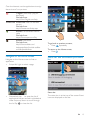
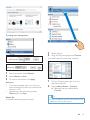
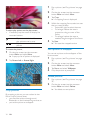
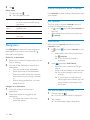
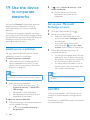
To select your options for the accounts,
12 Email
On Connect, you can receive and send email as
you do on a computer. Do the following:
= Set up your email accounts on the player.
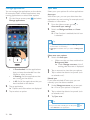
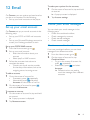
Set up your email account
On Connect, set up your email accounts in the
following ways:
= Set up your POP3 or IMAP mail accounts,
or
= Set up your Microsoft Exchange account to
access your Exchange mailbox at work.
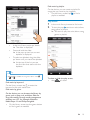
3
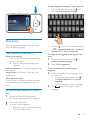
From the Home screen, go to
On the screen of account list, tap and hold
an account.
» #
+>
2
Tap Account settings.
Check your email messages
You can check your email messages in the
following ways:
= Check one combined mailbox;
= Check messages by account;
= Check starred messages;
= Check unread messages.
Check one combined mailbox
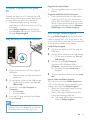
Set up your POP3/ IMAP account
1
2
1
.
Set up your email account:
= Enter the information about your
account;
= Select pop3 or IMAP account.
Follow the onscreen instructions to
complete the setup.
= Consult your email service provider
for the setup information, such as the
outgoing server, incoming server.
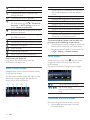
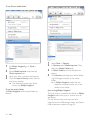
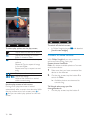
To add an account,
1
Go to the screen of account list:
= If necessary, press
repeatedly.
= Alternatively, press
and select
Accounts on the screen of mail list.
2
On the screen of account list, press
and select Add account.
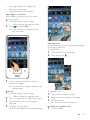
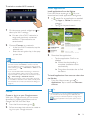
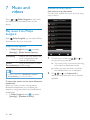
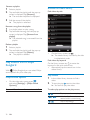
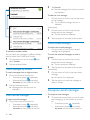
From one combined mailbox, you can check
messages from different accounts.
1
2
From the Home screen, go to
.
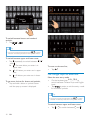
On the screen of account list, tap
Combined Inbox.
= To go to the screen of account list,
press
repeatedly;
= Alternatively, press
and select
Accounts.
» Different colors are used to
mark the messages from different
accounts.
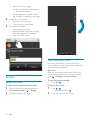
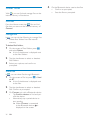
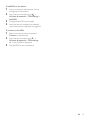
To remove an account,
1
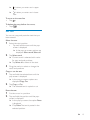
On the screen of account list, tap and hold
an account.
» #
+>
2
Tap Remove account.
EN
41