1
Designed and created by:-
16 Channel Master Station
(Continued)
2
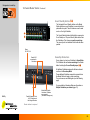
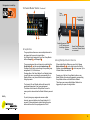
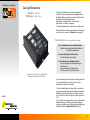
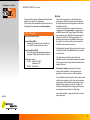
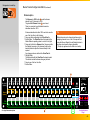
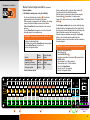
Power.
36V DC 1.9A
1
Parallel XLR
connectors for
Outstations
3
4
5
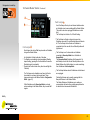
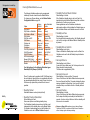
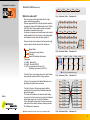
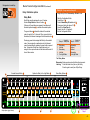
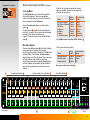
Group buttons
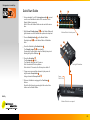
The group feature allows cues across multiple channels to
be triggered by the press of a single button.
Any channel can be assigned to one of two Group Master
buttons Group A 3 and Group B 4
The group assignment for each channel is controlled by the
Group button 2 and its associated amber lamps. 1
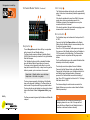
Pressing a Group button cycles through four possible group
assignments: A, B, A+B and none.
Pressing either of the Group Master Go or Standby buttons
is exactly the same as pressing the corresponding Go or
Standby button on any channel that has been assigned to
that group master.
The channel's Go and Standby buttons still remain fully
operational independent of any group assignment.
The status of each channel’s Group button is saved in
memory and is restored when the Master Station is powered
up.
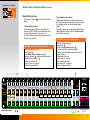
Built By
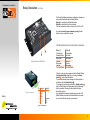
Parallel Expansion Ports
for PC Interface and
the linking of Master
Stations
Master Station Mode switch.
Used when 2 Master Stations
are connected
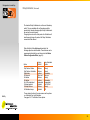
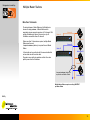
Linking Multiple Masters Stations
When multiple Master Stations are used, the 4 Group
Master buttons 3 4 can be linked across the Master
Stations via an expansion port 5 on the rear panel. Up to
6 Master Stations can be linked.
Pressing any of the four Group Master buttons on any
Master Station will electronically press the corresponding
Group Master button on all linked Master Stations.
This allows cues across multiple Master Stations to be
triggered by the press of a single button.
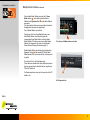
To quickly clear group assignments across multiple
channels, press and hold any two Group buttons for 0.5
seconds. All channels between (and including) those two
buttons will have their Group assignments set to off.
10.