1
Lake Shore Model 218 Temperature Monitor User’s Manual
4.2
KEYPAD DESCRIPTION
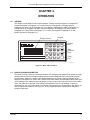
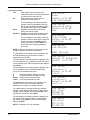
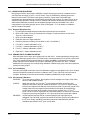
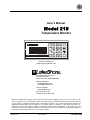
The Model 218 has a 4-row by 5-column sealed membrane keypad. Keys are used for both beginning a
setting change sequence and numeric data entry. The function of each key is described below followed
by general operation.
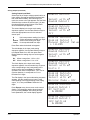
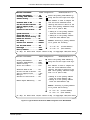
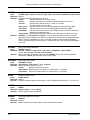
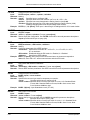
Display Format Formats the reading display including units selection. Refer to Paragraph 4.4.
Relay Setup
Configures relays and associates them with the alarm feature (218S). Refer to
Paragraph 4.11.
Alarm Setup
Sets up alarms. Refer to Paragraph 4.9.
Alarm Reset
Resets latched alarm state. Refer to Paragraph 4.10.
Input Type
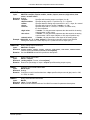
Configures an input set for sensor type. Also disables unused inputs. Refer to
Paragraph 4.5.
Curve Select
Selects a temperature response curve for an input. Refer to Paragraph 4.6.
Curve Entry
Manually enters a temperature response curve and copies curve data.
Refer to Paragraph 5.1.
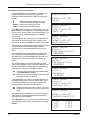
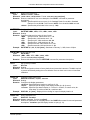
Analog Outputs Configures analog voltage outputs (218S). Refer to Paragraph 4.8.
SoftCal
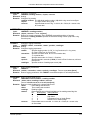
Initiates SoftCal feature. Refer to Paragraph 5.2.
Log Setup
Sets up data log feature. Refer to Paragraph 5.3.1.
Log View
Views logged data. Refer to Paragraph 5.3.3.
Log On/Off
Turns data logging on or off. Refer to Paragraph 5.3.2.
Local
Returns instrument to local operation after remote IEEE-488 operation (218S).
Refer to Chapter 6.
Interface
Sets up the IEEE-488 (218S) or serial computer interface. Refer to Chapter 6.
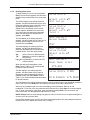
Math
Sets up math feature (Max, Min, Linear, and Filter). Also resets Max/Min.
Refer to Paragraph 4.7.
Printer
Sets up or initiates printer operation. Refer to Paragraph 5.4.
Escape
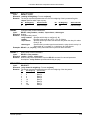
Exits from a parameter setting sequence and returns to the normal display
During entry of numerical settings, press Escape once to clear the entry,
twice to return to the normal display. Also resets memory.
Up Arrow
Increments parameter values or selections during setting sequence.
Down Arrow
Decrements parameter values or selections during setting sequence.
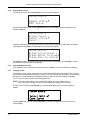
Enter
Accepts a new parameter value after setting sequence. Also used to lock the
keypad.
Numbers 0-9
Enter numeric data during a setting sequence.
Operation
4-3