1
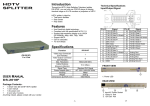
REAR VIEW
1. Input Power Jack
2. "DVI In" Port
3. ttDVI Out" Port
*There are 2/4/8 out ports for DS-2012F / DS-2014F /
DS-2018R
Installation
1. Turn off the PC/DVD player and monitors.
2. Connect the DVl male extension cable between the
PC/DVD player and the MDVI In" port of Distribution
P.S.: The example cascades the 2 and 4 ports Distribution
Amplifier; however, you can cascade the HDTV
Distribution Amplifier with demanded port.
Amplifier.
3. Connect the DVl male/female extension cables between
the monitors and the "DVl Out" ports of Distribution
Amplifier.
4. Connect the power cord and turn on the Distribution
Amplifier.
5. Turn on the PC/DVD player and monitors.
Note:
■ If you install the DDC monitor for the Distribution
Amplifier, the rest of monitors must be the same
resolution as the DDC monitor.
■ When use this product, we suggest user connect monitor
from BDVI out 1B first. For protection HDCP purpose, it
does not work if user connect from "DVl out 2-8" first
Operation for cascade:
1. The function to display identical image on more
monitors, you have to attach another Distribution
Amplifier.
2. Connect the DVl male/female extension cable
between the former Distribution Amplifier of the BDVI
Out 1" port and the latter Distribution Amplifier of the
"DVl In" port.
Note:
Even though you are allowed to cascade the Distribution
Amplifier with varied ports, the image might become
unstable if cascade too many tiers of Distribution Amplifier.
Trademarks:
All the companies, brand names, and product names
referred to this manual are the trademarks or
registered trademarks belonging to their respective
companies.