1
Hog 3PC Handbook
Virtual Faders
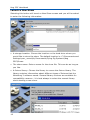
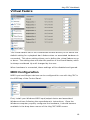
The Virtual Faders tab of the Preferences window allows you to define the
default setting for a playback bar's faders when no associated hardware is
connected. This show setting allows you to define the virtual faders as up
or down. The setting does not alter the position of the Grand Master, which
is always considered Up until changed by the user.
When hardware is connected, these settings will be disabled and ignored.
MIDI Configuration
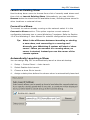
MIDI Input and Output devices can be configured for use with Hog 3PC in
the MIDI tap of the Control Panel.
First, install your Windows MIDI input/output device and associated
Windows drivers following the manufacturer's instructions. Once the
Windows computer properly configures the hardware, it should become
available in the drop down menus of the Hog 3PC MIDI screen.
19