1
Hog 3PC Handbook
9.
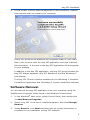
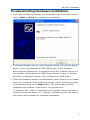
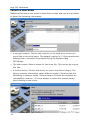
A final screen confirms that the application has successfully installed
and requests that you restart your computer.
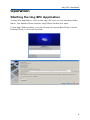
A Hog 3PC group will be added to the Programs folder on your Start
Menu, with icons to start the Hog 3PC application and view installed
documentation. A shortcut to the Hog 3PC application will also appear
on your desktop.
In addition to the Hog 3PC application, the Hog 3PC group contains the
Hog 3PC Widget Upgrader, Hog 3PC Handbook, and the Wholehog 3
User Manual.
The Hog 3PC CD also contains installers for the Wholehog 3 Visualizer
Connectivity application and Wholehog 3 console installation software.
Software Removal
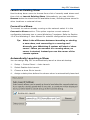
You can remove the Hog 3PC application from your computer using the
'Add/Remove Programs' utility found in the Windows Control Panel.
1.
In the Windows® start menu, select Control Panel, then double click
on Add/Remove Programs.
2.
Select ‘Hog 3PC’ in the list of installed programs, and click Change/
Remove.
3.
Select Remove, click Next and follow the on-screen instructions to
complete the un-installation of Hog 3PC software.
5