1
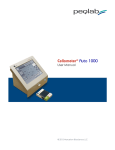
Cellometer Mini User Manual
Introduction
5
- What is Cellometer Mini
- Quick Operation Instructions
5
6
- User Interface Overview
8
Getting Started
20
- Starting the Mini
- Taking a Background Image
- Auto-Save Set-up
20
20
21
- Preparing Reference Beads
- Counting Reference Beads
- Comparing Viability Methods
21
22
23
- Preparing Cell Sample for Trypan Blue Viability Determination
- Cell Concentration and Trypan Blue Viability using the Mini
23
24
Tutorials
26
- Overview
- Staining Solutions
- Installed Assays and Descriptions
26
26
26
Operation Reference
27
- Counting Options
- Saving Options
Technical Information
6SHFLÀFDWLRQV
- Getting Support
- Warranty Information
27
28
30
30
30