1
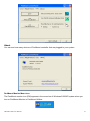
Calibrate
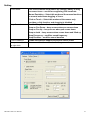
This function offers two ways to calibrate your touch screen. ‘Standard Calibration’ adjusts most touch
screens. ‘Advanced Calibration’ adjusts aging touch screens.
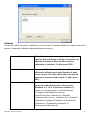
Standard Calibration
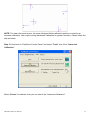
Click this button and arrows appear pointing to red
squares. Use your finger or stylus to touch the red
squares in sequence. After the fifth red point
calibration is complete. To skip, press ‘ESC’.
Advanced Calibration
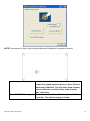
Advanced Calibration uses 4, 9, 16 or 25 points to
effectively calibrate touch panel linearity of aged
touch screens. Click this button and touch the red
squares in sequence with a stylus. To skip, press
ESC’.
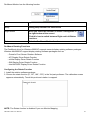
Command Calibration
Command call calibration function. Use command
mode call calibration function, this can uses
Standard, 4, 9, 16 or 25 points to calibrate E.g.
Please run ms-dos prompt or command prompt
c:\Program Files\PenMount Universa
Driver\Dmcctrl.exe -calibration 0 ( Standard
Calibration) Dmcctrl.exe - calibration ($) 0= Standard
Calibration 4=Advanced Calibration 4 9=Advanced
Calibration 9 16=Advanced Calibration 16
25=Advanced Calibration 25
ARCDIS-1XX User Manual
29