1
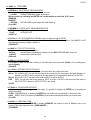
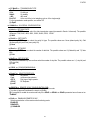
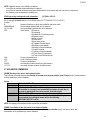
E-AF03
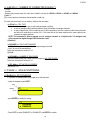
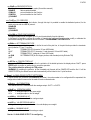
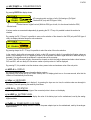
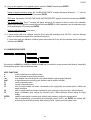
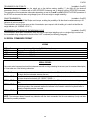
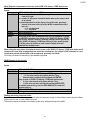
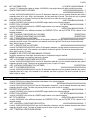
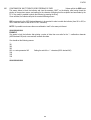
[OIN] Key with which one has exit from the user input
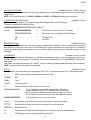
With this command it is possible to know which key the user used to exit the input (ENTER or C).
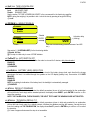
Syntax
Format
Parameters
Answer
Key
Example
Result
<ESC><II>OIN<STX>
<ESC><II>OIN[<KEY> | NO]<STX>
ENT Exited with the Enter key
CLR Exited with the Clear key
<ESC>01OIN<STX>
<ESC>01OINENT<STX>
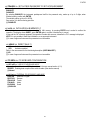
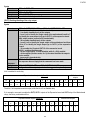
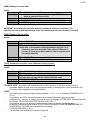
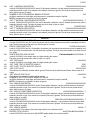
If the command is wrong one will have the <ESC><II>OINNO<STX> message.
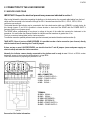
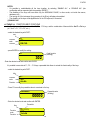
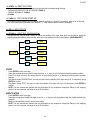
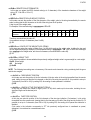
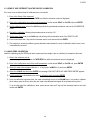
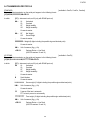
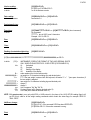
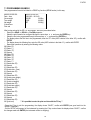
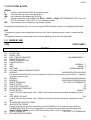
Simulation of key pressing:
[CC]KEYPXX<CR LF>
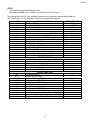
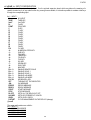
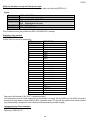
in which XX is the code of the pressed key:
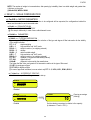
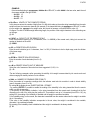
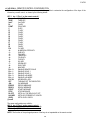
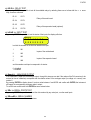
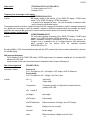
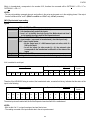
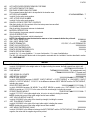
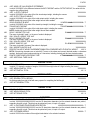
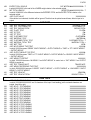
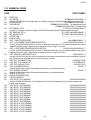
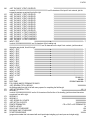
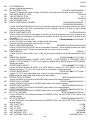
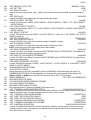
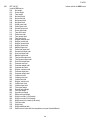
CODE
00
01
02
03
04
05
06
07
08
09
0A
0B
0C
0D
0E
0F
10
11
12
13
14
15
16
17
18
PRESSED KEY
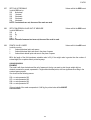
F1 key
F2 key
F3 key
F4 key
F5 key
F6 key
F7 key
F8 key
F9 key
F10 key
‘0’ numeric key
‘1’ numeric key
‘2’ numeric key
‘3’ numeric key
‘4’ numeric key
‘5’ numeric key
‘6’ numeric key
‘7’ numeric key
‘8’ numeric key
‘9’ numeric key
(.) point key
ZERO key
ENTER/Fn key
2ndF key
C key
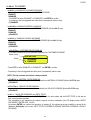
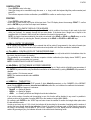
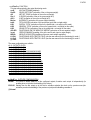
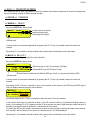
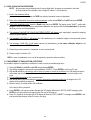
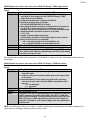
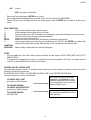
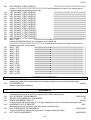
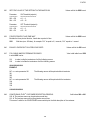
Response of the instrument: OK<CR LF>: command accepted
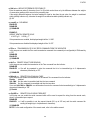
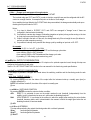
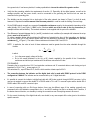
If the simulated key has two linked functions (key pressed briefly or at length, like the TARE key), if the KEYP command is
followed by the key release command (KEYR) within a maximum time of 1,5 seconds, the simple function will be executed
(key pressed briefly); otherwise the second function will be executed (key pressed at length).
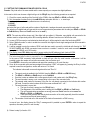
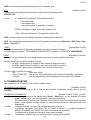
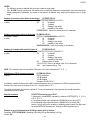
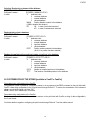
Command for key release simulation:
[CC]KEYR<CR LF>
Response: [CC]OK<CR LF>
69