1
CalPlus Calibration and Bump Station
Table of Contents
Hardware Overview ...................................................................................................3
Warnings and Cautionary Statements........................................................................4
Unpacking the Instrument..........................................................................................4
General Operation ......................................................................................................5
Introduction ........................................................................................................5
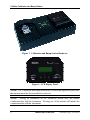
Calibration and Bump Station Hardware ...........................................................5
Operational States – Startup Mode ....................................................................7
Bump Test ..........................................................................................................9
Calibration ........................................................................................................12
Operational States – USB Connection .............................................................15
Printer Interface................................................................................................16
USB Communications Interface ......................................................................18
Electric Eye Operation .....................................................................................18
Manual Setup of the Station .............................................................................20
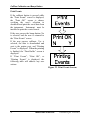
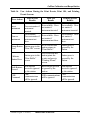
Print Events ......................................................................................................22
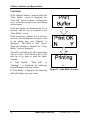
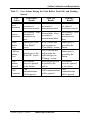
Print Buffer.......................................................................................................24
Clear Buffer......................................................................................................26
Setting Next Cal Day (Cal Days 30) ................................................................27
Set Date ............................................................................................................28
Select Language ...............................................................................................30
System Check ...................................................................................................31
Exit ...................................................................................................................32
Install the DataLink Admin Console (DAC) on the PC ..........................................33
Using the PC Software.............................................................................................34
Trouble Shooting......................................................................................................42
Performance Specifications .....................................................................................43
2
INDUSTRIAL SCIENTIFIC
Version 0.8 (p/n: 17122565)