1
IPAdminTool User's Manual 1.3. Menu and button configuration
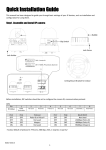
A B D
C E Figure 2. Menus and buttons Section A
File Refresh – Refresh the list and get the IP device information. Exit – Quit this program. Setup IP Address – Set IP configuration such as IP address, subnet mask, default gateway, etc. Friendly name – Set a friendly name for a selected device. Frequency setting – Set the message sending frequency for MDNS. System Update – Update the firmware or any other required files. Device info – Show the device information. Reboot – Reboot the device. Section B
IP Setup ‐ Set the IP configuration such as IP address, subnet mask, default gateway etc. Update ‐ Upload the firmware or any other required files. Reboot ‐ Reboot the device. Device Info– Show the device information. Refresh – Refresh the list and get the IP devices information. Section C
Product Name – Product name of your device is displayed. It can be modified by uploading the brand file involving the product name. Rack Info – If the scanned device is rack type, the related rack information is displayed. IP Address – IP Address of your device is displayed. MAC Address – MAC Address of your device is displayed. 06A.00 www.rivatech.de 4