1
·
o
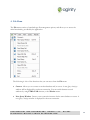
Comment selection. Adds the comment symbol "--" to the beginning of each
line of the selected text, or to the current line, if no text is selected in the open
SQL Editor window.
o
Uncomment selection. Removes the comment symbol "--" from the beginning
of each line of the selected text, or from the current line, if no text is selected
text in the open SQL Editor window.
o
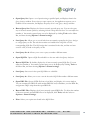
Tabify selected lines. Replaces spaces at the beginning of a line with tabs.
o
Untabify selected lines. Replaces tabs at the begging of a line with a userdefined number of space characters (the tab size, measured in spaces, can be
adjusted in Tools/Options).
o
Make selection Upper case. Makes selected text upper case.
o
Make selection lower case. Makes selected text lower case.
o
Change selection case. Changes lower case symbols to upper case symbols and
vice-versa.
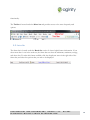
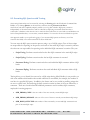
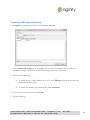
Outlining. The Outlining function allows you to expand, or collapse regions in the code in the
Query Analyzer.
By default, all code is visible in all Query Analyzer tabs.
CONFIDENTIAL AND PROPRIETARY, AGINITY LLC.
DISTRIBUTE WITHOUT PRIOR AUTHORIZATION.
DO NOT
21