1
POSITIONING THE DAB ANTENNA
The Dension DAB+R is a universal solution for listening to your
favorite DAB (Digital Audio Broadcast) stations in your car. This
device offers full DAB information (metadata) on the display of
your car radio through RDS (if your car radio supports radio
text).
The DAB reception and performance depends on many factors,
both in the vehicle and other external conditions. Before you
start the antenna installation and/or the product testing, please
make sure that you have a good DAB coverage and reception.
Important notes:
BBC R2
•
Now playing: White Light
by George Michael
•
DAB+R
DAB Radio Receiver
with Remote Controller
This manual will explain how to easily install and use the
DAB+R device with our remote controller.
Please study this user guide carefully and keep it handy in
case any questions may arise later.
TECHNICAL DETAILS
•
•
User Manual
DBR-9202-1
•
•
•
•
•
•
•
•
Digital Audio Services: DAB/DAB+/DMB-A (Supports
DAB, DAB+ standards).
RF Frequency Range: DAB Band III Channels 5A to
13F (174 MHz ~ 240 MHz).
RF Sensitivity for DAB Band III: -98 dBm ~ -100 dBm.
FM Transmission Range: 87.6 MHz ~ 107.9 MHz.
Power supply: 11 V ~ 16V DC Fuse: 1 amp.
Input Connectors: DC micro fit power plug, 3.5mm
stereo audio Auxiliary Input socket. AUX-in connector
for external devices.
Presets: 10 DAB station Presets
DAB aerial connector SMB Male. Passive and active
antenna support (Separate power supply output is
provided for active antennas. Phantom powering is
not supported).
Operating Temperature Range: -10 ~ +70 deg C.
Storage Temperature Range: -40 ~ +85 deg C.
DEVICE INSTALLATION
Use the included car side power cable and connect the 3
power leads as follow:
• Red: +12V Battery (permanent 12V or ACC)
• Purple: +12V Switched (ACC or ignition)
• Black: Ground (GND)
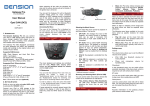
SRC
FM
SCAN
0
INFO
DAB+R
RADIO
FM
WARNING: Do not expose the remote controller to direct
sunlight or heat.
PACKAGE CONTENTS
•
•
•
•
•
•
•
Main device (DAB+R module)
Car side power cable
Power wire for active antenna
Power cable with cigar lighter adapter
Installation accessories
Quick Start Guide
Remote Controller
power connection
DAB
DAB (Digital Audio Broadcast) is an international standard
for digital radio broadcasts. The availability of DAB
stations and broadcast coverage are very much location
and country specific. Please consult your local broadcast
information for availability.
If your vehicle comes with metalized windscreen
(e.g. windscreen heating) the external antenna is
required to be mounted outside of the car.
The DAB module supports both amplified and
non-amplified aerials. For amplified antennas
12V power is provided by the DAB+R receiver
via the 2 pin molex connector. Read the manual
of the antenna used carefully and follow the
instructions in order to find the right place for
installation. Always test (read next chapter) the
DAB functions before finalizing the installation.
REMOTE CONTROLLER
FM FREQUENCY SETUP
OPERATION
POWER SUPPLY INFORMATION
Manual Scanning
In order to set the FM frequency, you need to follow the next
steps:
•
Turn the ignition ON,
•
Press and hold the
button for 3 seconds,
•
Enter the frequency
(from 87.6 [876] to 107.9 [1079]),
•
Press the
button to store the valid frequency,
•
Switch to the selected frequency with your radio.
During the first use or if there is no station selected, the
DAB+R title is shown on the RDS display of the radio.
Use the included car side power cable and connect the
3 power leads as follow:
3 wire installation
•
Red: +12V Battery (permanent 12V or ACC)
•
Purple: +12V Switched (ACC or ignition)
•
Black: Ground (GND)
2 wire installation
•
Red & Purple Terminated together: +12V Switched
•
Black: Ground (GND)
FM
First of all, you need to perform a DAB scan which you can do
by pressing the SCAN button. During the scan, you should see
DAB SCAN on the display.
DAB+R
FM
SRC
SCAN
Automatic Scanning
You can also start an automatic FM frequency scan. To use this
option, you need to do the following:
•
Turn the ignition ON,
•
Press and hold the
button for 3 seconds,
•
Press the
up arrow button.
FM
After this, the device will be looking for a free frequency and
will set it automatically. This frequency can be found if you do
an FM scan with your radio.
Please Note: Our product has the memory back up so the
Permanent feed is not required for all installations
If the NOSIGNAL message appears on the radio, that means
there is no DAB reception. In this case, please check the
location and the connection of the areal.
Navigation between stations
By pressing the
up and
down arrow buttons, you
can skip to the next or previous stations. If you press and hold
these buttons, you can skip in 5 station steps (alphabetically).
Presets
You can store presets to the
buttons To store the
actually played station, you need to press and hold one of the
numerical buttons.
After this, you can switch to that station directly by short
pressing the same button.
FM
0
INFO
Auxiliary source
The device gives you the possibility to listen to music from an
external source through a 3,5mm Jack connector. In order to
mute the DAB radio and use the Auxiliary input of the device,
you need to press the SRC button. In this mode, you should see
“AUX” in the RDS display.
Pressing the button again reactivates the DAB source.
Please note: The device connected to the auxiliary input
has to be paused separately, using the controls of the
device itself.
Diagnostic
During playback, with the
button, you can switch
between the text of the actually played DAB channel and
between the software information of the DAB+R device and
of the DAB module.
INFO
DISCLAIMER AND WARRANTY
Disclaimer
If your car’s electrical system begins to behave
erratically, please disconnect the DAB+R device physically
immediately and have it checked by your installer.
Dension and its authorized distributors and retailers are not
liable for any incidental consequential or indirect damages or
loss and do not assume liability for any diagnostic fees.
The use of handheld devices while driving may be subject to
government legislation. Please ensure that your use of the
Dension device complies with applicable traffic laws. Dension
does not assume liability for any events resulting from the
illegal or irresponsible use of handheld devices while driving.
Dension reserves the right to modify its products or
specifications without prior notice.
Warranty
Dension devices carry a one-year limited warranty that
protects you from defects in material and workmanship of
products sold by Dension or its authorized distributors and
retailers. Dension does not warrant any installation work or
assume liability for any damage caused due to negligence,
improper installation or operation. For warranty claims, proof
of purchase is required