1
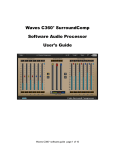
Introduction and Overview Introducing Waves L360°, a Surround Peak Limiter and Level Maximizer for 5 or 5.1 channels . This tool is based on the legacy of its Mono and Stereo predecessors – Waves L1 and L2 UltraMaximizers. It provides Brick Wall Peak Limiting and the Waves IDR360° Increased Digital Resolution plug-in with Dithering and Noise Shaping for multi-channel digital audio. L360° supports operation at sample rates up to 96kHz. BRIEF OVERVIEW L360°’s Peak Limiter has a look-ahead mechanism to anticipate upcoming peaks and start pre-attenuating to achieve absolute brickwall peak limiting with maximum transparency. It also incorporates Waves ARC – Auto Release Control. This technology sets the optimum program sensitive release time for the applied gain attenuation. The L360° allows linked dynamics processing for preserving the cross-channel balance and phantom directions. It allows flexible link modes to fit right in with the preferred grouping scheme that you wish to follow, or the one you think sounds best. This is done on a single 5 or 5.1 Insert without the need to split to multiple stereo and mono groups. You get all the options on the same multichannel insert. HOW DOES L360° WORK? The level maximization is gained by specifying a peak threshold and adding the gain of the threshold to the output. The threshold, being a point that’s not to be exceeded, creates headroom that is automatically made-up. For example, if the threshold is at –6dB, then no audio will exceed –6dB, creating 6dB of headroom. The output will then be boosted by 6dB to make up for the 6dB headroom, boosting the whole signal by 6dB. L360°’s 48-bit double-precision process maximizes resolution so that no bits are lost in the Peak Limiting process. The dither eliminates further quantization noise by adding some very low-level rapid noise completely de-correlated from the program. The dither forces quantization noise to become part of this rapid lowlevel noise. As a result, instead of correlated distortion noise we get something that’s more like tape hiss, but at an extremely low level. WHEN TO USE L360°. L360° is recommended for use in the last step of processing a 5.1 surround mix. The best place to insert L360° is just after the final output master fader, preferably with no gain stage after it. Waves L360 software guide page 2 of 12