1
Using L-360°
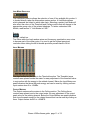
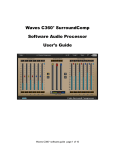
L-360° has two main sections •
•
Threshold: Sets the point above which no peaks shall pass. For example,
if you set the threshold to –6dB and you have a passage where the peak
is at –3dB, the L360° will attenuate the signal by 3dB and the signal
passing through will not exceed the threshold. In other words the –3dB
peak will be limited to reach only –6dB.
Ceiling: Sets the output’s peak value so that the peak limiter threshold will
reach this value in the output. In relation to the above example, if the
ceiling is 0dB (or full scale), the output will be 6dB louder than the input.
When using the Threshold control, the most audible effect is the increase in gain.
Indeed, the gain increase is important, but it is far more audible than the more
subtle effect of the dynamics process and the gain attenuation. To be able to
hear the sound characteristics at the same general level we recommend moving
the Ceiling along with the Threshold. If the Ceiling or output peak value is
equivalent to the Threshold, then the gain increase is eliminated, allowing us to
hear only the effect of the limiting on the audio material. After you achieve the
desired sound, adjust the ceiling back to the desired peak output value and gain
level.
BASIC OPERATION
The following section will guide you through the basic operation routine that will
always give you good, professional results. Expert sound engineers can further
improve these results, but any engineer can get good results by following the
instructions supplied here.
First, insert L360° on the desired 5 or 6(5.1) channel track.
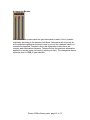
Grab (click and drag) the Global Limiter control, the middle one between the
Threshold and Ceiling sections.
Begin to drag it downward while you listen carefully and watch the attenuation
meters. Once you see activity in the attenuation meter, peak limiting is
happening.
At this point, it is important to listen carefully, because from this point on, further
lowering of the threshold will introduce its effect on the sound. At some point,
some audible compression and then distortion will be heard in the channels that
undergo the most extreme attenuation. You are looking for the point where you
Waves L360 software guide page 5 of 12