1
known, the others may be calculated from the closed
circuit test.
Note: If none of the indices FRC, RV or TLC is selected
in the Test Configuration screen, then this screen will
not appear and you will be brought directly into the
Closed Circuit Test screen.
3. Once you have the required value entered, you can do
one of three things:
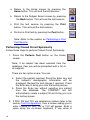
a. Return to the Home screen by pressing the Home
button. This will finish the test session.
b. Return to the Subject Select screen by pressing the
Back button. This will finish the test session.
c. Perform a Closed Circuit Test by pressing the
Return button.
4. After pressing the Enter key in FRC/RV/TLC value entry
screen, you will be brought into the Closed Circuit Test
screen.
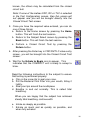
5. Wait for the Exhale to Begin icon to appear. This
indicates that the COMPACT unit is ready to accept a
blow.
Read the following instructions to the subject to ensure
that testing is performed properly:
a. Clip on the nose clip to seal your nose.
b. Put the Bacterial Viral Filter into your mouth, biting it
lightly.
c. Seal your lips around the mouthpiece
d. Breathe in and out normally. This is called tidal
breathing.
When you are happy that the subject has achieved
steady tidal breathing, continue with:
e. Inhale as deeply as possible
f. Exhale as much and as quickly as possible, and
when fully exhaled
16