1
•
•
Robust, proven fleisch-type flowhead. No moving parts or delicate
sensors
Simple cleaning. The flowhead completely dismantles for washing,
disinfecting or even autoclaving.
GETTING THE VITALOGRAPH COMPACT READY FOR USE
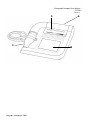
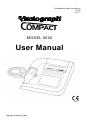
1. Attach the flowhead to the Vitalograph COMPACT by the dual
silicone tubing (Flowhead Connection Tube). Ensure that the
coloured/ribbed tapping on the flowhead is connected to the ribbed
side of the connection in the housing.
2. Open the printer door and remove bubble wrap from each side of
paper roll.
3. Only use the Vitalograph COMPACT with the purpose-built low
voltage power supply unit with which it is supplied. Attempted use
with other power sources may cause irreparable damage and
invalidate the warranty. The output from the power supply is 10
volts DC.
4. Connect the jackplug from the power supply into the socket on the
rear of the Vitalograph COMPACT. The IEC connector on the
mains lead plugs into the socket on the power supply. Plug the
mains plug into a suitable socket, operate the On/Off switch on the
rear of the instrument and the Vitalograph COMPACT is ready for
use.
5. A helpful demonstration will automatically start when the
COMPACT is powered up for the first time. On subsequent powerup the demonstration will not start automatically. To access the
demonstration again press the Help button on the Home screen.
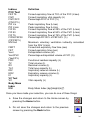
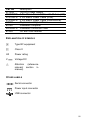
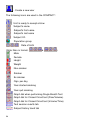
Note: A complete list of the buttons and icons used in this device is
available at the back of this Manual.
OPERATING THE VITALOGRAPH COMPACT
Logging In
The COMPACT can be configured so that a user must login during
power-up. (See section User Configurations). If this option is selected,
2