1
options). In order to show the three tests saved to
the database, select the check box.
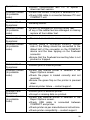
j. COPD Number: If the COPD check box is
selected in the Subject Demographics (Refer to
the section on Creating a New Subject), then the
subject is suspected of having COPD. If this is the
case, the COPD number will be printed on the
report by default.
k. COPD Risk: If the COPD check box is selected in
the Subject Demographics (Refer to the section
on Creating a New Subject), then the subject is
suspected of having COPD. If this is the case, the
COPD risk will be printed on the report by default.
l. Lung Age: The subject’s lung age is printed by
default.
m. Interpretation: The interpretation of the session
results is printed by default.
n. Smoking Details: Information on the subject’s
smoking history is printed by default.
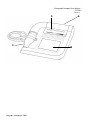
4. The COMPACT can be set to print to either the internal
printer or an external USB printer. If the External Print
option is selected, there is an option to select the Best
Quality print-out and/or Colour.
5. The report heading can be configured. Press the Edit
Text button to do this.
a. Enter the required text
keyboard
using
the on-screen
b. Return to the previous screen using the Back
button.
6. To activate the paper feed press the Paper Feed
button. To stop the paper feed, press the Paper Feed
button again.
41