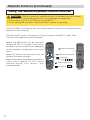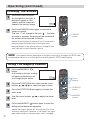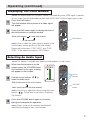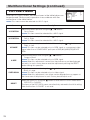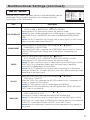
1
Part Names (continued)
Control Buttons
7
8
4
9
0
=
e
5
6
y
t
r
u
w q
2 3
1
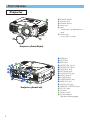
Control Panel
on the Projector
1 STANDBY/ON button
and STANDBY/ON indicator
2 TEMP indicator
3 LAMP indicator
4 LENS SHIFT buttons
5 INPUT dial
6 SEARCH button
7 M1-D indicator
8 RGB indicator
9 BNC indicator
0 COMPONENT indicator
- S-VIDEO indicator
= VIDEO indicator
q ZOOM buttons
w FOCUS buttons
e KEYSTONE button
r MENU button
t RESET button
y ENTER button
u Cursor buttons
/ / /
Remote Control
1 STANDBY/ON button
4 LENS SHIFT buttons
6 SEARCH button
q
w
e
r
t
y
ZOOM buttons
FOCUS buttons
KEYSTONE button
MENU button
RESET button
ENTER button
(
Mouse left button)
y
(Rear)
i
1
q
4
w
u
o
LASER INDICATOR
STANDBY/ON VIDEO
RGB
p
+
+
LENS SHIFT FOCUS
+
ZOOM
–
–
–
BLANK
ASPECT
LASER
PREVIOUS
NEXT
MOUSE
r
s
f
h
ESC
MENU
POSITION
RESET
AUTO
MAGNFY
PinP
VOLUME
FREEZE
MUTE
ON
j
OFF
KEYSTONE SEARCH
u Cursor buttons
/ / /
(
Keyboard
Arrow keys / / / )
k
1 2 3
ID CHANGE
[
\
]
a
d
t
g
l
;
6
'
i
o
p
[
]
\
a
s
d
f
g
h
j
k
l
;
'
LASER INDICATOR
VIDEO button
RGB button
BLANK button
ASPECT button
LASER button
Cursor buttons
/ / /
(
Mouse move pointer)
ESC button
(
Keyboard ESC key)
(
Mouse right button)
POSITION button
AUTO button
PinP button
MAGNIFY buttons
FREEZE button
VOLUME button
MUTE button
ID CHANGE switch
e
Remote Control
5