1
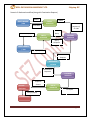
NSDL DATABASE MANAGEMENT LTD. Shipping Bill 1 INTRODUCTION Whenever Entity (Unit, Developer, Co-Developer)are exporting the goods they are required to submit Shipping Bill (SB) (Notified format by customs) to the Customs Specified Officer designated at Development Commissioner office. As per Rule 78 of SEZ Rules, the Entities need to prepare and submit SB electronically using SEZ online system. The following are the steps for submission and processing of SB through SEZ online system: Preparation of SB by Entity Maker or CHA user and its submission to Entity Approver. Verification of SB by Entity Approver & its submission to Customs using Digital Signature Certificate (DSC). Obtain Print of SB (all copiesi.e. original, duplicate, triplicate, Quadruplicate, Quintuplicate) from SEZ Online System & submit it to Customs along with necessary supporting documents e.g. Invoice, packing list etc. Assessment of SB by Customs Assessor and issuance of ‘Let Export’/ ‘Allow export’ by Customs Assessor/ Authorized officer. Update of EGM details in SEZ Online System & submission of Proof of Export to Customs by Entity approver. Verification of proof of export by Customs, thereby closing the SB.Closure of shipping bill is very important in SEZ Online System. 2 USER ROLES Following user are involved in the processing ofshippingbill(Export) transaction: From Entity/Developer/Co-Developer o Entity Maker/CHA o Entity Approver From Customs/Development commissioner officer SEZ Online Manual Page 2