1
introduction to the controls (1/2)
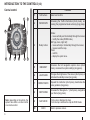
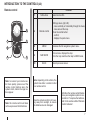
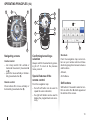
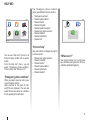
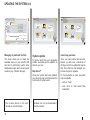
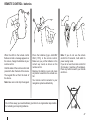
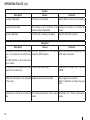
Central control
Function
1
1
2
BACK
1
Soft buttons
2
INFO/ROUTE
Accessing the Traffic information (short press), accessing the programmed route summary (long press).
3
Rotary button
Rotate:
– move vertically and horizontally through the menus;
– modify the scale (ZOOM mode).
Shift (up, down, right, left):
– move vertically or horizontally through the menus;
– move around the map.
Press:
– confirm;
– display the quick menu.
5
MENU/SET
Accesses the full navigation system menu (short
press), accesses the system settings (long press).
6
LIGHT/DARK
Changes the brightness of the screen (short press) or
activates the standby screen (long press).
7
REPEAT/MUTE
Repeats the instruction (short press), deactivates the
voice guidance (long press).
8
DEST/HOME
Accesses the “Navigate to...” (short press), navigate to
your Home (long press).
9
MAP-2D/3D
10
BACK
10
INFO
MAP
ROUTE
2D/3D
DEST
MENU
SET
HOME
REPEAT
MUTE
9
8
7
LIGHT
DARK
6
5
3
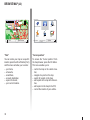
Note: depending on the vehicle, the
system has either a central control
or a remote control.
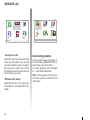
6
Select and confirm
From a menu: displays the map
From the map: switches the map to 2D/3D mode.
Back to previous screen.