1
Audit reports come "ready-to-use" and usually require no configuration by an
operator. However, several configuration items exist that expand the role of audit
reports to include more specialized reporting appropriate to specific
administrators (that may not want or need access to all data on the system.)
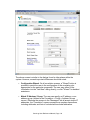
Operators can create alternate "Report Viewers" (via the "AddNew" button on
each screen) which limit the data to certain columnar match patterns, and can
hide columns of a report.
For example, the operator can create a "Database User Lockout" report that is a
small subset of the "User Activity" report, limiting the report to only those
database users that have a lockout condition. Likewise, an operator can create a
"Critical Unix Events" report from the "Device Activity" audit reports, which lists
only those UNIX platforms experiencing a certain number of critical and higher
errors.
As an important side-function of "Audit Reports", the report information can be
loaded automatically into ODBC compliant databases for use with third-party
report writers, or to support complex SQL queries. The user configures the
ODBC functions of each report type via the "Advanced" button found at the top of
the various Audit reports.
Detailed notes on "Audit Report" parameters and usage exist in the "CorreLog
Screen Reference Manual", available on the "Home" screen of the CorreLog
Server (available after user logon.) Additional application notes on the
"Advanced" parameters of audit reports are available from CorreLog support on
request.
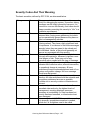
Audit Report Types
The following Audit reports are accessed via the "Reports > Audit" facility of the
system. Each report type is intended to satisfy a particular common audit
requirement supporting good security for the enterprise.
•
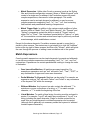
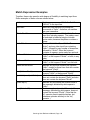
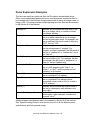
User Activity. This type of report lists all users of the system,
demonstrating (in compliance with most security standards) that all users
are being monitored. The report directly supports PCI-DSS and HIPAA
specifications to track user access, but also provides a useful indication of
user activity and possible insider threat.
•
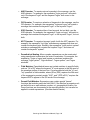
Device Activity. This type of report lists all the managed devices of the
system, demonstrating (in compliance with most security standards) that
all critical systems are being monitored. The report directly supports PCIDSS and HIPAA specifications to track access to managed platforms. The
report also provides a good indication of the amount of logging and activity
associated with certain devices.
CorreLog User Reference Manual, Page - 139