1
DSQ – DRUM SEQUENCER
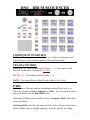
COMPONENT OVERVIEW
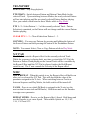
DSQ is a 4-Track sequencer. Each Track has 3 Patterns of 16 Steps each.
These Patterns can be chained together in Pattern Chain Mode.
TRACK CONTROL
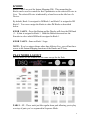
TRACK 1 - 4 – These Buttons Select Tracks 1 – 4. You cannot switch
between Tracks while touching the X/Y Pad.
MUTE 1 - 4 – These Buttons Mute Tracks 1 – 4.
NOTE: You cannot Select or Mute Tracks while in Play Mode.
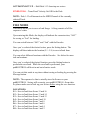
PADS
The Pads have different functions depending on which Mode you’re in.
There are 2 main Pad Modes; Sequence and Play. You can switch between
these two Modes with the Pad Mode button.
When the Pad Mode button is unlit, you are in Sequence Mode, which has 2
of its own Modes.
In Pattern Mode, the Pads will turn on/off one of the 16 Steps in the current
Pattern. When a Step is initially turned on, it will be selected for editing.
3