1
Prism 2 User Manual
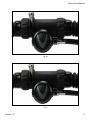
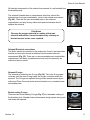
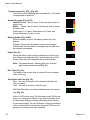
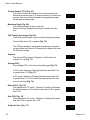
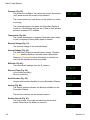
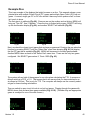
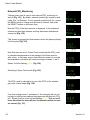
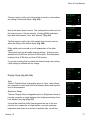
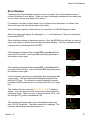
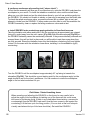
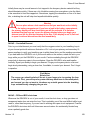
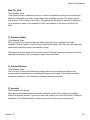
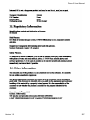
Pressure (Fig. 79):
The pressure in millibars. Two values are shown, the surface
(surf) pressure and the current (now) pressure.
Pressure mBar
1O13 Fig 79
1O11
Surf
Now
The current pressure is only shown on the surface (i.e. when
not diving).
The surface pressure is set when the Secondary Display is
turned on. If the Altitude setting is set to SeaLvl, then surface
pressure is always 1013 millibars.
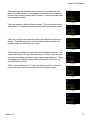
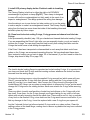
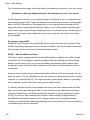
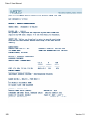
Temperature (Fig. 80):
The current temperature in degrees Fahrenheit (when depth
in feet) or degrees Celsius (when depth in meters).
TEMP
73`F
Fig 80
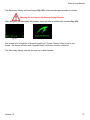
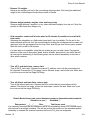
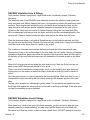
External Voltage (Fig. 81):
The external voltage of the solenoid battery.
Ext V
Fig 81
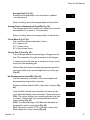
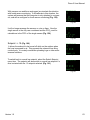
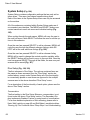
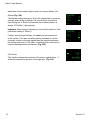
Internal Voltage (Fig. 82):
The Secondary Display’s internal battery voltage. Displays
in Yellow when the battery is low and needs replacement.
Displays in Flashing Red when the battery is critically low
and must be replaced as soon as possible.
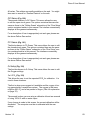
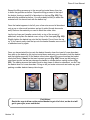
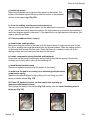
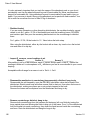
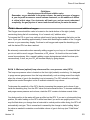
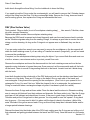
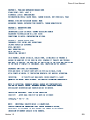
Millivolts (Fig. 83):
The raw millivolt readings from the O2 sensors.
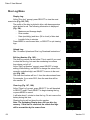
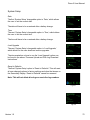
Date and Time (Fig. 84):
In the format mm/dd/yy
24-hour clock time.
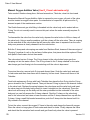
Serial Number (Fig. 85):
Unique serial number identifier for every Secondary Display.
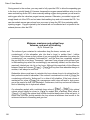
Version (Fig. 86):
The version number indicates the features available on the Secondary Display.
The last two numbers are the firmware version.
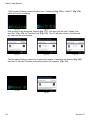
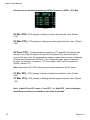
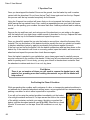
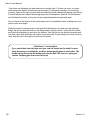
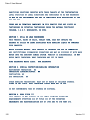
Surface Interval (Fig. 87):
The time in days, hours and minutes since the last dive
ended. Reset when the battery is removed.
Int V
3.55
Fig 82
MilliVolts
42.O 46.Fig
O 43.83O
Date
Time
O2/16/1OFig16:8431
Serial No
1234ABCDFig 85
Version
2OOOO32Fig 86
Surface Interval
O OFigO87
Days
44
7.6
Hr
Min
Version 1.0