1
NA
•
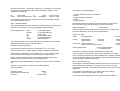
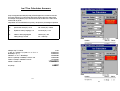
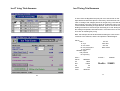
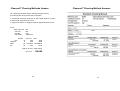
Next, press the End Products button and enter:;
Red
•
Note: only one motor was used, the fish cost nothing to start with, the
transport should be described as “Not Applicable”, and the end product
is Red Snapper.
Not applicable
Red Snapper
2500 Ug Sh
Now press the Journey stages button and enter:
00
10
20
The gross profit from the trip should be 219,653 Ug Sh.
•
Start
Island
Landing Site
4.4
•
From the main menu, press the door button to exit Ice-IT
Review – Paper based Activity
Complete the Ice-IT Icing Trials Review Sheet.
Increments of ten are used, so a new stage can easily be added if
necessary.
5.
Ice Calculator (Ice-IT)
5.1
User Example – Computer based activity
Step 2 – Container Information
•
•
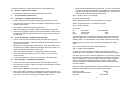
From the CD, press the Software button (left-hand side of screen)
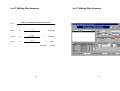
Return to the main menu and press the Container Information and
Melting Rate Trials button.
•
•
Now press the Ice-IT button and select Ice Calculator from the
options and press OK.
Now press the Add new button, and enter the following information:
•
Next select the Blank Data Set options and press OK.
•
After a short delay, Ice-IT is loaded with an empty data set.
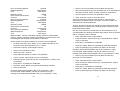
Code
Description
Volume
Surface Area
Layer 1
Layer 2
Layer 3
Cost
Life Span
Avg Journey
Canoe
Lined canoe
500L
8 Sq M
Wood 8mm
Polystyrene 15mm
Aluminum 2mm
1,000,000 Ug Sh
150 journies
12 hrs
Trial No.1
Effect of Ambient Temperature and Journey Time on Ice Usage
Step 3 – Enter Trial Details
•
Go back to the main menu, and select the Icing Trials Data button.
•
Press the Add new button, and read the information below. Enter the
information into the Details, Journey and Costs screens.
th
A canoe from the Big Boat Company set out to sea at 6am on the 4 April
2000 and returned at 6pm the same day. The fisherman took his catch of
100kg of red snapper (which he caught using a net and had been keeping
in the fish hold of his boat) to an island at 12pm. Here he covered the fish
with 85kg of large flake ice. He then set off back to the landing site where
he arrived at 6pm with 20kg of ice left. During the trip the average
temperature was 29C and 15L of fuel was used. He sold all of his fish for
2,500Ug Sh per kg.
18
•
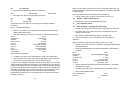
From the main menu, press the Container Information and Melting
Rate Trials button.
•
Press the add new button and enter information for the following
container:
Code
Description
Volume
Surface Area
Layer 1
Layer 2
Layer 3
Box1
Lined Vegetable fibre box
65L
1 Sq M
Wood 10mm
Vegetable Fibre 5mm
Aluminum 1mm
•
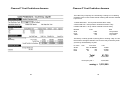
Select Theoretical and press the Recalculate button. The melting
rate should be 0.0679.
•
Go back to the main menu, and press the ice Calculator button.
•
Enter the information below
Fish Temperature:
Product:
15 °C
White Fish
19