1
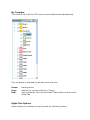
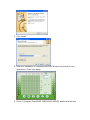
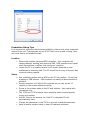
Tramigo Settings Tab
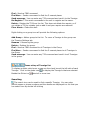
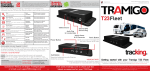
Displays the settings for the unit. Get Info will update the information by
sending a Version command to the T22.
Tramigo Properties
Name:
Phone:
Unit name
This is the phone number of the SIM installed in the T22 unit. Do
not enter your modem phone number! Changing the phone number
will automatically re-register the Tramigo.
Password: T22 Unit password
IMEI:
IMEI number of the unit. Use the GET button to fill this.
Icon:
Determines the icon used in the unit list.
Group:
Determines the group the Tramigo belongs to.
Tramigo Configuration
Use the GET INFO button to fill these fields.
Location Directory Version: Shows which LD is loaded in the unit.
Language File Version:
Shows which LF is loaded in the unit