1
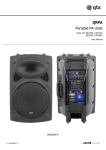
These PA units are fitted with a Bluetooth receiver, which can be paired with a Bluetooth enabled audio device. Ensure that your audio
device and your portable PA are both switched on and Bluetooth is activated.
On the portable PA,
available for Bluetooth connection (discoverable).
Scan for Bluetooth devices on your phone or other audio device
Portable PA . For first time connection, you
Play audio
from your phone or other Bluetooth device and check for output through the PA.
Portable PA
Check also that the volume level is turned up on the sending device.
Portable PA
correct PA is found.
Once audio is playing through the APS-PA from Bluetooth, adjust the master volume control to the required volume
Bluetooth on the APS PA can only pair to a single device at any one time and should be operable over a range of 5 to 8 metres.
Specifications
APS12PA
APS15PA
Power supply
115/240Vac Switchable / external 12Vdc / Internal rechargeable battery
Main driver
300mm (12”) - 100Wrms/200Wmax
34mm titanium compression driver
HF unit
VHF mic frequencies
173.8MHz + 175.0MHz
Bluetooth version
v2.1
380mm (15”) - 150Wrms/300Wmax
44mm titanium compression driver
Dispersion
Amplifier output
(RMS)
50W + 50W (LF + HF)
Battery life
Up to 8 hours
Dimensions (WxHxD)
410 x 585 x 350mm
15.7kg
Weight
100W +50W (LF +HF)
480 x 675 x 400mm
22kg
Troubleshooting
No output and no LEDs lit
Check POWER switch is on
Check battery is not drained fully
Check mains lead is connected
Power LED lit but no VHF
output
Check
Check
Check
Check
Check
Power LED lit but no
USB/SD player output
Check USB or SD has correct audio files on
Power LED lit but no
USB/SD player output
Power LED lit but no
sound from external
inputs
Power LED lit but no
sound from external
inputs
9V batteries in wireless transmitters
wireless transmitters are switched on
VHF POWER is switched on
MIC VOLUME is not turned down
RF A and RF B LEDs for radio signal
Check USB or SD is connected properly
Press MP3/LINE button and try >II button
Check VOLUME is not turned down
Check LCD display to see moving numbers
Check leads are OK and connected properly
Check volume and on/off switch on external mic or line source
Check VOLUME or MIC VOLUME control is not fully down
Does "LINE IN" show on LCD for AUX input? (Press MP3/LINE)
Disposal:
Electronic equipment and should not be disposed with other household or commercial waste at the end of its useful life.
The goods must be disposed of according to your local council guidelines.
1622
Errors and omissions excepted.
Copyright© 2014. Pulse.
www.pulse-audio.co.uk | APS PA Series User Manual