1
Introduction
QUICK-START INSTALLATION INSTRUCTIONS
! WINDOW S:
From the D esktop, selec t File (or START in Win 95/98/NT/00/XP)
On the File menu, select Run.
In the Run window, Enter the Comm and line: A:SETUP
NOTE: If your program or update is on CDROM and you are using Win 95/98/NT/00/XP, the
SETU P program will start autom atically (AU TO RU N) when you insert the CD RO M w ith
norma l operating system settings.
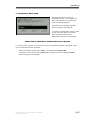
SETUP will survey your system and will ask you for appropriate choices. The first question
asked is the location of your Program Master Disk. Unless you are installing over a network,
this will be your CDROM or your diskette drive.
After a successful Install or Update, the SETUP program will ask the operator for permission to
install the DATASMITH Payroll Icon.
! MS-DOS, DOS shell under LINUX:
To update your programs from the source drive, type:
{source drive}:INSTALL
EXAMPLE: If your floppy drive is A:, type:
A:INSTALL
INSTALL will survey your system and will ask you for appropriate choices.
! INSTALLATION ACROSS A NETWORK:
1. Copy the files from each diskette into a temporary Network Directory or Drive. If your
Master Disks contain subdirectories, create corresponding subdirectories (keep the same
subdirectory name) in your Network Directory. All diskettes should be copied into a single
Network Directory.
2. At each workstation, follow the instructions above appropriate for your desktop environment.
When asked to identify the location of the Master Disk #1 files, specify the data path to the
temporary Network Directory as seen from your workstation.
1-4
© 1990-2005 LPI Information Systems
Revised 11/2005