1
ClubExpress User Manual – Version 5.5
TOOLBAR FUNCTIONS
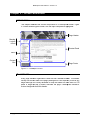
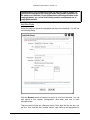
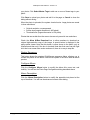
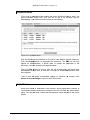
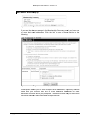
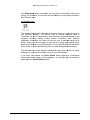
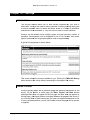
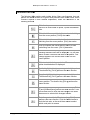
The following table explains each toolbar button. Many use the same icon and
perform the same function as a typical word processor such as MS Word. Some
functions require a more detailed explanation; these are described in the
following sections:
Click the drop-down
down arrow to select a text size. You will
see a list of sizes based on pixels; 12px is the standard
size.
Click to bold the current block of text or to start bolding
from the cursor position. [Ctrl-B] also works.
Click to italicize the current block of text or to start
italicizing from the cursor position. [Ctrl--I] also works.
Click to underline the current block of text or to start
underlining from the cursor. [Ctrl-U] also works.
Click to select the text (foreground) color. A color picker
showing standard colors will be displayed. You can also
define custom colors and add them to the palette. Your
change applies to the current block of text or at the
cursor position.
Click to select the background color. The same color
picker described above is displayed.
Cut the highlighted text to your computer’s clipboard.
The shortcut key [Ctrl-X] performs the same function.
Copy the highlighted text to your computer’s clipboard.
The shortcut key [Ctrl-C] performs the same function.
Paste text from your computer’s clipboard at the current
cursor position. The shortcut key [Ctrl-V]
V] performs the
same function.
Undo one or multiple changes. The shortcut keys [CtrlZ] and [Alt-Backspace] perform the same function. Click
the reverse arrow to undo the last change or the small
down arrow to select which changes to undo.
Redo the previous Undo. The shortcut key [Ctrl-Y]
performs the same function. Click the forward arrow to
redo the last undo, or the small down arrow to select
which undo point to reverse.
Copyright 2004-2013 – Gembrook Systems – All Rights Reserved
Page 134