1
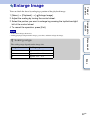
Enlarges the image on the screen automatically to make manual-focusing easier. This
works in the [Manualfocus] or [DMF] modes.
Table of
contents
MF Assist
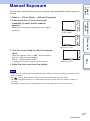
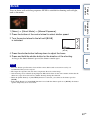
1 [Menu] t [Setup] t [MF Assist] t desired setting.
The image is enlarged by 7.5 times. You can enlarge the image also by 15 times.
• In DMF (Direct Manual Focus), turn the focusing ring with the shutter button pressed halfway down
after adjusting the focus with autofocus.
Enlarges the display until [Exit] is selected.
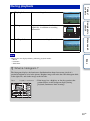
5 Sec
Enlarges the image for 5 seconds.
2 Sec
Enlarges the image for 2 seconds.
Off
Does not enlarge the image.
Notes
Index
• You cannot use [MF Assist] with the following functions:
– Movie recording
– [Precision Dig. Zoom]
• When an A-mount lens other than the SAM and the SSM (sold separately) is attached, pressing [MF
Assist] (soft key) will enlarge the image.
• When an A-mount lens is attached, the display is enlarged until you select [Exit] as in the same way as
[No Limit], even if you select [2 Sec] or [5 Sec].
Menu search
No Limit
Sample photo
search
2 Turn the focusing ring to adjust the focus.
102GB