1
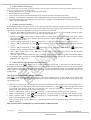
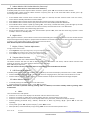
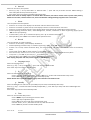
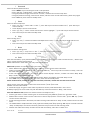
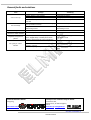
General faults and solutions
Fault
Can not start up
Can not charge
Doorbell no function
Outdoor unit cannot call or
connect to Indoor monitor
Image has noisy point or
flickers
No signal for Indoor
monitor
Cause(s)
Neglected to press switch button
Lithium battery is not installed
Low battery
No connection to power adapter when battery
runs out
Adapter connector doesn’t connect to charging
port of machine correctly
Adapter doesn’t connect to 110V--240V
alternating current
Wire connection is not correct
Code match failed
Solution(s)
Press switch button
Install lithium battery
Charge up lithium battery
Connect to power adapter
Handset is placed near to TV player, microwave
oven, daylight lamp or mobile phone which
produces electromagnetic wave interference.
Outdoor unit doesn’t connect to the power
Keep handset far away from the
interference items
Distance between outdoor unit and Indoor
monitor is too far
Disturbed by magnetic field around
www.kivos.com.cn
rev. 1.0.1
USER MANUAL:
Plug into the socket to connect to
alternating current
Check connection and reconnect
Clear code, and re-match code
Connect to the power
Adjust to appropriate distance
Keep handset far away from magnetic
field.
Importer:
Przedsiębiorstwo Handlowo Usługowe FENIKS
ul. Słoneczna 110,
Nowa Kuźnica, 42-350 Koziegłowy
Poland
www.elmic.pl, [email protected]
Producer:
KIVOS HK INDUSTRY LIMITED
Hong Kong
Strona 16 z 16
Reconnect correctly
www.elmic.pl, [email protected]
KIVOS KD700mk2
MULTIPURPOSE WIRELESS VIDEO DOOR PHONE INTERCOM SYSTEM
WITH MULTI MONITOR