1
30
FrontFace for Touch Kiosks - User Manual
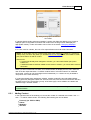
4. Right-click the Print2Screen printer, and select its Printer properties.
5. Then click on Settings... in the tab General.
6. Select the Layout tab, and click Advanced.
7. Under Paper/Output, select the new custom form created for Paper Size, then click OK.
We recommend that you play a bit around with the width and height values of your custom paper
size to find the right size that is the best for you.
Some paper sizes that have proofed to be helpful are:
B: 17,65 cm
H: 30,00 cm
(16:9 fullscreen)
B: 29,70 cm
H: 16,71 cm (9:16 fullscreen)
B: 16,71 cm
H: 29,70 cm
(16:9 with ticker)
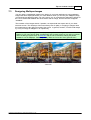
Notice: Also remember that FrontFace has a built-in, high-quality scaling algorithm that allows
you to show your print-outs in the correct aspect ratio on the screen with a minimum of empty
real-estate on the screen. Select "Stretching: Uniform to Fill" to get the best results
Copyright © 2012-2015 by mirabyte GmbH & Co. KG