1
iv
MaxCube II User Operation and Maintenance Guide
Contents
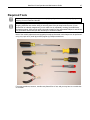
Warranties and Liabilities ..................................................................................................................................... ii Copyright ............................................................................................................................................................. iii Trademarks ......................................................................................................................................................... iii Regulatory Approvals .......................................................................................................................................... iii Warnings ............................................................................................................................................................. iii Chapter 1: Quick Start Setup.................................................................................................................................. 1 Documentation Conventions ............................................................................................................................... 2 Inspecting the Shipment...................................................................................................................................... 2 Unpacking the MaxCube ..................................................................................................................................... 3 Setting-Up the MaxCube ..................................................................................................................................... 5 Powering-Up Your MaxCube .............................................................................................................................. 9 “Dos and Don’ts” ............................................................................................................................................... 10 Setting-Up the Graphics ....................................................................................................................................... 10 Adjusting the Display......................................................................................................................................... 11 Chapter 2: Handling Removable Media ............................................................................................................... 12 Introduction ....................................................................................................................................................... 13 Removing and Storing the System Drives ........................................................................................................ 13 Removing and Storing the Data-Drive Magazine ............................................................................................. 14 Chapter 3: Module Replacement/Upgrade Procedures ..................................................................................... 16 Introduction ....................................................................................................................................................... 17 Required Tools and Techniques ....................................................................................................................... 17 Names and Types of Screws ............................................................................................................................ 17 Motherboard Diagrams ..................................................................................................................................... 18 Removal of optional display/keyboard assembly .............................................................................................. 20 Adding/Replacing Memory Sticks ..................................................................................................................... 26 Removing/Replacing PCIe Cards ..................................................................................................................... 28 Appendix A: Creating and Using Backup Images (Including Restoring Your OS) ......................................... 31 Introduction ....................................................................................................................................................... 31 Appendix B: Regular System Maintenance ........................................................................................................ 41 Maintaining (Cleaning) the Filter ....................................................................................................................... 41 Resetting the Motherboard BIOS ...................................................................................................................... 44 Replacing the Lithium Battery ........................................................................................................................... 45 Appendix C: Screws and Required Tools ........................................................................................................... 46 Screws............................................................................................................................................................... 46 Required Tools .................................................................................................................................................. 47 Appendix D: Contacting MaxVision Support (RMA and Serial Numbers) ....................................................... 48 Repairing/Replacing Products/Accessories ...................................................................................................... 48 Contacting Technical Support and RMA Numbers ........................................................................................... 48