1
Chapter 1: Use General Functions
•
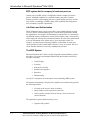
Filters - to limit the scope of the information that appears in a
window or report with one of these three filter types:
o
o
o
Field
Table
Flow
•
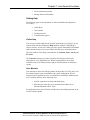
Sorting - to organize information in a way that makes it easier to
analyze.
•
Statistics - to see a summary of relevant figures for each record and
drill into details.
•
The Navigate window - to find, view, and print all related database
records from one place.
•
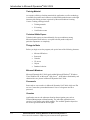
Information Pane - for quick links to sales-related information.
•
Reports - to view and print filtered information with a variety of
standard reports for typical business needs.
•
Integration to Microsoft Office products - to manage information in
Word, Excel, or another product.
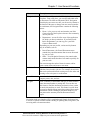
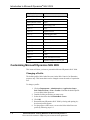
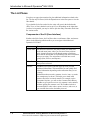
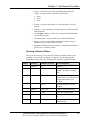
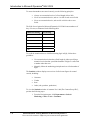
Entering Criteria in Filters
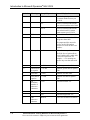
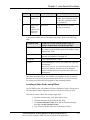
When you enter criteria, you can use all the numbers and letters that you can
normally use in the field. In addition, you can use some special symbols or
mathematical expressions. The following table shows the available formats.
Symbol
Meaning
Sample Expression
Records Displayed
=
Equal to
377
Number 377
BLUE
Those with the BLUE code, for
example, the BLUE warehouse
code
22
A datetime: from 22-current
month-current year 0:00:00 to 22current month-current year
22:59:59
22 10
An exact datetime: 22-01-01
10:00:00
1100..2100
Numbers 1100 through 2100
..2500
Up to and including 2500
..12 31 00
Dates up to and including 12 31
00
P8..
Information for accounting period
8 and thereafter
..
Interval
Microsoft Official Training Materials for Microsoft Dynamics ®
Your use of this content is subject to your current services agreement
1-21