1
Introduction to Microsoft Dynamics® NAV 2009
Enter and Edit Information
When you enter information into fields, Microsoft Dynamics NAV 2009
provides the format for the type of information you enter in the following types
of fields:
•
Date fields - only accept date parameters
•
Number fields - only accept numbers
•
Text fields - accept information in any format
Enter Dates
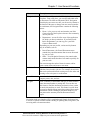
Microsoft Dynamics NAV 2009 is flexible in how you enter dates. The following
table shows valid entries in a date field.
User Input
Result
w
Work date entered in Tools>Work Date
t
Today's date
c
Closing date
#
Number of the day in the current work month
Month-day-year
122502, 12 25 02, 12-25-02, 12/25/02
Weekday-weeknumber-year
Fr5202, fr 52 02, fr-52-02, fr/52/02
You can also enter abbreviations for the weekday and the program will then enter
the date for that weekday based on the work date, as shown in the following
table.
User Input
Result
m
Monday
tu
Tuesday
we
Wednesday
th
Thursday
f
Friday
sa
Saturday
su
Sunday
When entering a date, take special note of the following:
1-26
•
Start-day of the week is Monday.
•
Date fields will accept wrong year numbers such as 9008.
Microsoft Official Training Materials for Microsoft Dynamics ®
Your use of this content is subject to your current services agreement