1
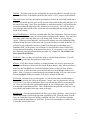
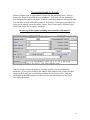
Single Property Address
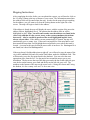
In the Address From field enter the address coordinate (building or house number) and
leave the To field blank. In the Street field, enter the address’ directional prefix and then
the street name. If you can get a coordinate for the street, enter it in the Coordinate field
following the street field. Reminder: Street coordinates are required in Salt Lake
County.
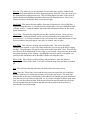
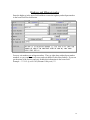
Multiple Property Address
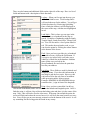
In the Address From field, enter the beginning address coordinate (building or house
number), then in the To field enter the ending address coordinate (building or house
number). In the Street field, enter the address’ directional prefix and the street name.
When taking a range of addresses, only house or building addresses can go into the
address fields. Do not put street ranges in this field. Note: The smaller of the two
coordinates must be used as the beginning address, and the larger of the two coordinates
must be used as the ending coordinate. Otherwise you will get an message saying the
“street from address can not be greater than the street to address.” Example: from 943 to
967, not from 967 to 943.
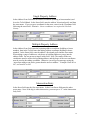
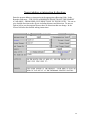
Intersection Entry
In the Street field enter the first street name. In the Cross Street field enter the other
street name. Note: If the dig is at this intersection, you must put a “Y” in the Intersection
Only field.
16