1
Remote Desktop Installation and Configuration | 47
Note: If you are performing this procedure on a Windows-based device that is implemented as a virtual
machine, you first need to connect the virtual machine to the DVD drive where you will insert the
Windows Supplemental CD. Refer to the Virtual Management Server Software manual for information
about connecting DVD drives to virtual machines in an ASTRO® 25 system.
2 Navigate to the \Remote Desktop\bin\ directory on the CD.
3 Select the AHT-Remote-Desktop.bat file.
4 Copy this file onto the desktop and double-click it.
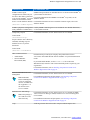
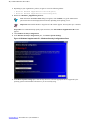
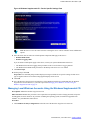
Step result: A pop-up window appears, asking to complete information for NetMeeting.
5 Enter the required information and click Next.
6 Click Next.
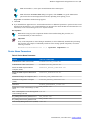
Step result: The wizard helps you tune your audio settings.
7 Close all other programs that play sound, or record sound, and click Next to continue.
8 Click Next.
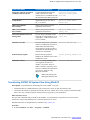
Note: Make sure that your speaker or headphones are connected and that playback volume is
acceptable.
9
10
11
12
13
To adjust the playback volume, use the slider bar. Click the test button to hear a sample.
Click Next → Finish.
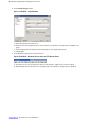
Select Local Area Network.
Click Next.
Click Next → Finish.
6871025P46-A | November 2013 | Send Feedback